Most HDB living rooms revolve around the television. Mounting the TV set on the wall frees up floor space and delivers that clean, gallery-like feel many homeowners chase. Yet a truly functional TV wall mount design involves much more than picking a bracket off the shelf. This article covers the structural, electrical, and spatial choices that determine whether your installation looks neat and stays secure for years.

Why Your Wall Type Decides the Success of a TV Wall Mount Design
Start any TV wall mount design by identifying the wall you intend to use. In Singapore, HDB flats typically present three possibilities: solid reinforced concrete, hollow concrete blocks, or drywall partitions. Each demands a different anchoring approach.
Concrete walls can carry heavy loads easily. Use M8 or M10 sleeve anchors or heavy-duty wall plugs, and drill with a hammer drill on rotary stop. Hollow block walls, common behind some feature walls, need toggle bolts or specialised hollow-wall anchors that expand behind the brick skin. Drywall, often found in newer homes enclosing the yard or study area, rarely supports a large television unless you bolt into the metal studs behind the plasterboard. Guessing the wall type leads to brackets pulling loose over time, sometimes ripping chunks of plaster off. FixFirst technicians test the wall substrate before any drilling begins, a habit that spares you a costly repair.
Choosing the Right Bracket to Complete Your TV Wall Mount Design
A VESA-compatible bracket keeps things simple. Almost every flat-screen television uses the VESA mounting hole pattern, and matching that ensures the bracket fits. Beyond size, pick one of three profiles: fixed, tilt, or full-motion. A fixed bracket sits the television close to the wall, usually under 30mm, and works best when you watch from directly in front. A tilting mount adds 5 to 12 degrees of downward tilt, helpful if you mount the screen above a console or in a bedroom. Full-motion articulating arms pull the television out and swivel it, useful for open-plan layouts where people watch from the dining area or kitchen.
Check the bracket’s weight rating even if your television seems light. A 55-inch OLED might weigh only 18kg, but budget brackets rated for 25kg leave little safety margin once you factor in the leverage of an extended arm. Over-engineering this part of the TV wall mount design costs little extra and makes a real difference to long-term safety.
Step-by-Step: Executing a Clean TV Wall Mount Design
Follow these steps to go from bare wall to a secure, polished result.
- Decide on the final viewing height. Centre the screen roughly 105cm to 120cm from the floor, measured to the middle of the panel. This lines up with eye level when you sit on a typical sofa.
- Mark the bracket position on the wall using a spirit level. Transfer the VESA hole positions to the wall with a pencil, checking twice that the marks sit dead level.
- Scan the wall for embedded conduits and live wires. In HDB flats, electrical wiring and water pipes often run vertically or horizontally from switches and sockets. Hitting one turns a simple job into an emergency. A basic stud and live-wire detector saves you from this risk.
- Drill pilot holes with the correct masonry bit. For concrete, use a 10mm bit for M8 sleeve anchors; for hollow block, drill slowly and avoid wallowing out the hole.
- Insert anchors or wall plugs and bolt the bracket plate to the wall. Tighten progressively so the plate pulls flush without warping. Check level again.
- Hang the television on the bracket arm and engage the safety locking screws. Many modern brackets click into place, but those tiny securing screws at the bottom stop the set from lifting off accidentally.
- Conceal or manage the cables. Surface trunking painted the same shade as the wall remains the quickest legal option. For a completely hidden look, you must engage a licensed electrician to run cables inside the wall cavity legally and safely. FixFirst handles this work in one visit, installing a recessed socket behind the television so that only the screen is visible.
Integrating Power and Data Without Spoiling Your TV Wall Mount Design
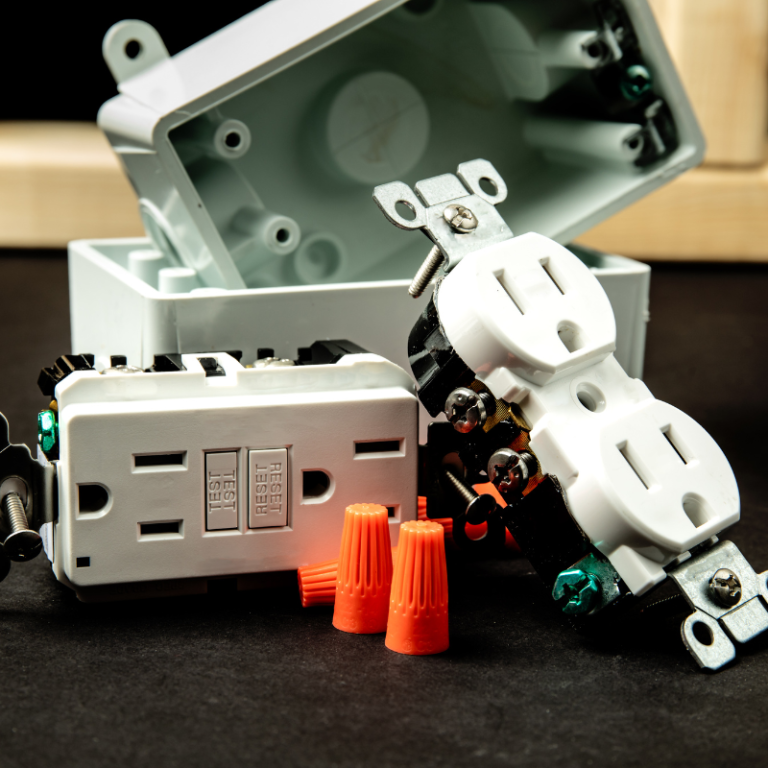
A dangling power cord ruins even the most precise TV wall mount design. HDB walls often have a power point near the floor directly below the television. Running the TV’s flex down to that socket exposes a black cord down the centre of the wall. The better solution embeds a 15A power point and a brush plate for HDMI and antenna cables behind the television. The electrician draws a new line from an existing circuit, chasing out a shallow channel in the brickwork if the wall is concrete, then replastering. This work requires HDB-compliant materials and a licensed worker. Done correctly, you see nothing but the screen, and the installation meets Singapore’s electrical safety standards. FixFirst bundles concealed wiring and TV mounting into a single appointment because pulling the wires after the bracket is already up creates unnecessary back-and-forth.
Common Mistakes That Undermine a Good TV Wall Mount Design
Even careful homeowners overlook small details. Mounting the television too high is by far the most frequent mistake. A screen placed above a high cabinet or false ceiling cove forces viewers to tilt their heads upward, causing neck strain. Another oversight is failing to account for the television’s bottom edge clearance. Soundbars and gaming consoles placed on a console below need at least 10cm to 15cm of breathing room, or the lower part of the screen gets blocked. Finally, many ignore future expandability. A truly practical TV wall mount design provides space for one extra HDMI cable or an Ethernet run behind the set, because trying to fish a new cable through after the fact often means taking the television down again.
A Strong Finish for Your Singapore Home
A television mounted on the wall should feel immovable, and the wires should stay invisible. When a homeowner looks at the finished wall, the only thing they should notice is the picture on the screen, never the bracket or the cabling behind it. Good planning, the right anchors, sensible electrical work, and a properly levelled mount separate a professional TV wall mount design from a botched job.
For homeowners who prefer that a trained technician handles the entire process, FixFirst provides electrical, plumbing, and handyman services across Singapore. We mount your television, install a concealed power point, and clean up every trace of dust and trunking, all in a single visit. Call FixFirst or book your appointment online and get the clean wall you want without the stress.