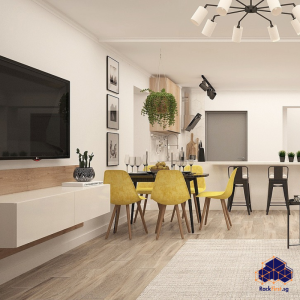
The flat-screen television, a centerpiece of modern living rooms, promises a sleek, space-saving entertainment hub. Yet, the tangle of cables and the bulky media console often undermine that promise. The true liberation comes from mounting your TV on the wall, an act that demands more than just a drill and optimism. It hinges on a universal, yet often misunderstood, standard: VESA. For homeowners in Singapore, particularly those in HDB flats, understanding this standard is the critical first step to a secure and stunning television installation. This comprehensive guide will demystify everything about VESA, from its fundamental principles to the practicalities of installation within the unique context of Singaporean homes.

What Exactly is the VESA Standard?
VESA, an acronym for the Video Electronics Standards Association, established the Mounting Interface Standard (MIS) to bring order to the chaos of television and monitor design. This standard dictates the pattern of four threaded holes on the back of a flat panel display. These holes form a square or rectangular pattern, measured in millimeters, which corresponds to the mounting plate of a bracket. The primary goal is universal compatibility; a TV from Samsung and a bracket from a third-party manufacturer can connect perfectly if they adhere to the same VESA pattern. This interoperability is why you can confidently shop for a VESA compatible wall mount knowing it will fit your device, provided the measurements align.
The most common patterns you will encounter range from the compact 75mm VESA wall mount pattern for smaller monitors to the expansive VESA wall mount 600 x 400 required for large, heavy screens. Understanding this specification is not a mere technicality but the absolute prerequisite for a safe and successful installation.
Decoding VESA Patterns: Finding the Right Fit for Your TV

A VESA pattern is expressed as two numbers, for example, 200 x 200. The first number indicates the horizontal distance between the centers of the left and right holes. The second number indicates the vertical distance between the centers of the top and bottom holes. This simple two-number code is the master key to compatibility.
Common patterns for modern televisions include VESA 75×75 wall mount for very small screens, VESA 100×100 wall mount for monitors and some older TVs, and the widely used VESA 200×200 wall mount. As screens grow larger and more robust, patterns like VESA 300×200 wall mount, VESA 400×200 wall mount, and VESA 300×300 wall mount become standard. For instance, you will typically need a VESA 400×200 wall mount for 65 inch TV models from many brands. It is crucial to verify your specific model’s pattern, as a VESA 200×200 wall mount 55 inch TV might be common, but exceptions exist.
How To Locate Your TV’s VESA Specification
You can find your TV’s VESA pattern in three primary ways. First, and most reliably, consult the user manual or the technical specifications sheet on the manufacturer’s website. Second, physically examine the back of your TV. The four threaded holes are usually located in a central area, and the pattern is often silkscreened or stamped onto the plastic or metal backing. Third, measure it yourself. Using a tape measure, determine the horizontal and vertical distances between the hole centers. This will give you a measurement like 100mm VESA wall mount or confirm you need a 200 x 300 VESA wall mount.
The Complete Guide to VESA Wall Mount Installation in HDB Flats
Mounting a television in an HDB flat is not the same as mounting one in a private, landed property. The Building and Construction Authority (BCA) and HDB have strict guidelines governing renovation works to ensure structural integrity and neighbourly safety. Drilling into walls, especially for heavy items like a TV, carries risks of hitting electrical conduits, water pipes, or, most critically, compromising the structural rebar.
Before you purchase a single screw, you must understand the HDB renovation guidelines. These rules explicitly state that building works, which include the creation of new openings and chases in walls, require prior approval. While a simple TV mount might not always require formal submission, the principle of due care is important. Drilling into a structural column or a beam is strictly prohibited.
A Step-by-Step Guide to a Secure TV Mounting Project
| Step | Details |
|---|---|
| Step 1: Confirm TV VESA and Weight | Precisely note your TV’s VESA pattern (e.g., VESA wall mount 100×100) and its exact weight. This information is non-negotiable for selecting the correct bracket. |
| Step 2: Select the Appropriate Wall Mount Bracket | Brackets come in several types. A VESA flat wall mount holds the TV close to the wall, while a tilt mount allows for vertical angle adjustment. An articulating VESA arm wall mount offers the greatest flexibility, pulling out and swiveling. Ensure the bracket’s specified VESA pattern and weight capacity exceed your TV’s requirements. For a VESA 200×200 wall mount, the bracket must support that pattern and your TV’s heft. |
| Step 3: Identify Your Wall Type and Locate Studs | HDB walls are primarily concrete, but some partition walls may be hollow brick. For concrete, you need a powerful drill and concrete anchors. For any wall, using a high-quality stud finder is essential to locate wooden battens or, ideally, the concrete behind the plaster. Never rely on plaster plugs alone for a heavy TV. |
| Step 4: Gather the Right Tools and Hardware | You will need a power drill (hammer drill for concrete), masonry bits, a spirit level, screwdrivers, and the appropriate screws and anchors. The VESA wall mount screws provided with the bracket are typically sufficient, but always cross-reference with your TV’s manual. |
| Step 5: Mark and Drill with Precision | Attach the wall plate to the wall, use a spirit level to ensure it is perfectly horizontal, and mark the drill points. Drill the holes carefully to the required depth. |
| Step 6: Secure the Wall Plate and Attach the TV | Insert wall plugs or anchors, secure the wall plate firmly with bolts, then attach the mounting arms to the TV using the correct VESA 100×100 wall mount screws. With help, lift the TV and hook it onto the wall plate, ensuring all locking mechanisms are engaged. |
Need a secure, damage-free TV wall mount installation in your HDB flat? FixFirst’s certified handymen use professional tools and HDB-compliant techniques to ensure your mount is level, stable, and safe
Navigating Common VESA Wall Mount Challenges and Solutions
Even with the best planning, challenges arise. A frequent issue is a mismatch between the provided hardware and the TV’s requirements. The VESA 100×100 wall mount screws might be too long or too short. Always test screw length before final tightening to avoid damaging internal components.
Another common dilemma involves non-standard TVs. If you are figuring out how to wall mount non VESA monitor, the solution often involves an adapter plate. These universal plates attach to the VESA holes on the bracket and then provide a different mounting solution, such as a clamp system, for the non-VESA device.
Brand-specific quirks also exist. While a Samsung VESA wall mount is generally straightforward, some Samsung models have a central hub that requires a low-profile bracket. Similarly, a Dell VESA wall mount for a monitor is standard, but checking for any recessed ports is always wise. The key is to verify the specific VESA wall mount support for your brand and model.
Summary of VESA Mounting Essentials
The table below consolidates the critical information for a quick reference.
| Aspect | Description | Key Consideration for Singapore HDB |
|---|---|---|
| What is VESA? | Standardized hole pattern on the back of TVs/monitors for mounting. | Ensures bracket compatibility; always verify before purchase. |
| Common Patterns | 75×75, 100×100, 200×200, 300×300, 400×400, 200×300, 400×200. | Larger TVs (e.g., 65″) often need a VESA 400×200 wall mount. |
| Bracket Types | Fixed (VESA flat wall mount), Tilt, Full-Motion (VESA arm wall mount). | Tilt mounts are useful for reducing glare from overhead lighting in HDB living rooms. |
| Critical Hardware | VESA wall mount screws, concrete anchors, wall plugs. | Never use drywall anchors in HDB concrete walls; use heavy-duty concrete anchors (e.g., Fischer DX-II or equivalent). |
| HDB Compliance | Adherence to HDB renovation guidelines for drilling. | Avoid drilling into structural beams and columns. When in doubt, consult a professional technician familiar with HDB regulations. |

Frequently Asked Questions About VESA Wall Mounts
Check the user manual, the manufacturer’s website, or look at the back of your TV for four threaded screw holes arranged in a square or rectangle. You can also measure the distance between them to get the pattern, like VESA wall mounting 100x100mm.
You need a bracket that explicitly lists VESA 200×200 wall mount compatibility in its specifications.
No. While the hole pattern is standard, the build quality, weight capacity, tilt functionality (VESA 100×100 wall mount tilt), and included hardware can vary significantly between manufacturers.
While it is possible for a skilled DIYer, the risks of damaging the wall, hitting pipes or wires, or improperly securing the TV are high. For peace of mind and guaranteed safety, hiring a professional handyman service is highly recommended.
Do not force them. Use the screws that came with your TV, if provided. Otherwise, purchase the correct M4, M6, or M8 screws from a hardware store, ensuring they are the correct length and thread pitch.
A 100mm VESA wall mount refers to a 100x100mm pattern, which is larger and designed for heavier screens than a 75mm VESA wall mount (75x75mm). They are not interchangeable.
A VESA 200×200 wall mount 55 inch TV is a common combination, but you must also check the bracket’s maximum weight capacity. Ensure it can handle your TV’s weight, not just the pattern.
You can find them at electronics stores, online marketplaces, and hardware stores. For professional-grade brackets and installation, a handyman service like FixFirst often provides the bracket as part of the service package, ensuring perfect compatibility.
Most curved Samsung TVs use standard VESA patterns. However, you must confirm the specific model’s pattern and check for VESA wall mount support Samsung details, as some may require a specific bracket for an optimal fit.
There is no single “standard” weight. Each bracket has its own weight rating, which can range from 10kg for a small monitor mount to over 50kg for a large TV bracket. Always choose a bracket with a capacity exceeding your TV’s weight.
Mastering the intricacies of VESA—from identifying your VESA wall mount type to executing the physical installation—transforms a potentially hazardous DIY project into a safe and rewarding enhancement to your home. The clean, minimalist look of a wall-mounted TV not only saves precious floor space in our compact HDB flats but also elevates the entire aesthetic of your living area. However, the margin for error is slim, and the consequences of a mistake are too significant to ignore.
Do not leave the safety of your expensive television and the integrity of your home to chance. Contact FixFirst today for a professional, reliable, and HDB-compliant VESA wall mount installation. Our experienced technicians bring the right tools, expertise, and high-quality brackets to ensure your TV is mounted securely and perfectly aligned, giving you complete peace of mind. Schedule your service now and enjoy the view, without the worry.