Modern Singaporean homes demand reliable internet connectivity, making data point installation Singapore a necessity. Whether in an HDB flat, condo, or landed property, structured cabling ensures high-speed internet access across all rooms. A well-installed data point also eliminates Wi-Fi dead zones, supports smart home devices, and future-proofs your home network.

Data Point vs. LAN Point: What’s the Difference?
The debate between LAN point vs data point often confuses homeowners. While both terms refer to wired network connections, a data point typically includes a wall-mounted socket (RJ45) that connects devices via Ethernet cables. A LAN point, on the other hand, refers to the broader network infrastructure, including switches and routers. In practical terms, a data point socket is the access point where you plug in your devices for a stable, high-speed connection.
Types of Cables Used in Data Point Installation: A Technical Deep Dive
Selecting the proper network cabling forms the backbone of any reliable home network infrastructure. In Singapore’s residential environments, where space constraints and high humidity pose unique challenges, cable choice directly impacts both immediate performance and future-proofing capabilities. Let’s examine the options in detail:
Category 5e (Cat5e) Cabling
The workhorse of residential networking, Cat5e remains the baseline standard for most HDB installations. These twisted pair cables reliably deliver:
- 1 Gbps speeds up to 100 meters
- 100 MHz bandwidth sufficient for HD video streaming and online gaming
- Backward compatibility with older networking equipment
Modern Cat5e incorporates improved crosstalk prevention compared to original Cat5, with tighter twist ratios in the copper pairs. While unshielded (UTP) versions dominate home installations, shielded variants (STP) exist for environments with significant electromagnetic interference. The cables’ 24-gauge copper conductors strike an ideal balance between flexibility for routing through HDB false ceilings and durability for long-term use.
Category 6 (Cat6) and 6a Advancements
For homeowners building smart residences or future-focused networks, Cat6 and its enhanced 6a variant offer substantial upgrades:
Cat6 Features:
- 10 Gbps speeds at shorter runs (up to 55 meters)
- 250 MHz bandwidth handles multiple 4K streams simultaneously
- Thicker insulation and spline separators reduce crosstalk
- Tighter performance specifications for return loss and insertion loss
Cat6a Improvements:
- Maintains 10 Gbps speeds across the full 100-meter run
- 500 MHz bandwidth supports emerging smart home protocols
- Alien crosstalk prevention crucial in dense cable bundles
- Often features grounded shielding for commercial-grade installations
The thicker 23-gauge conductors in Cat6 cables make them slightly less flexible than Cat5e, requiring careful planning for tight bends in HDB cable runs. Professional installers often recommend Cat6a for homes with:
✔️Smart home hubs with multiple IoT devices
✔️Home offices requiring low-latency connections
✔️Media servers distributing high-bitrate content
✔️Future-proofing for emerging technologies like 8K video
Legacy Systems: Converting Telephone Lines (RJ11)
Many pre-2000 HDB flats still utilize Category 3 cabling for telephone services, recognizable by their:
- RJ11 connectors (narrower than network RJ45)
- Four conductors instead of eight
- Untwisted pairs vulnerable to interference
The growing obsolescence of landline services makes these cables prime candidates for conversion. Technicians can often repurpose existing conduits to run modern Ethernet cables, though challenges include:
- Older PVC conduits that may have deteriorated
- Shared pathways with electrical wiring requiring separation
- Potential need for new faceplate cutouts
Specialized Cable Considerations for Singapore Homes
Tropical conditions in Singapore demand attention to:
📌CMR-rated jackets for in-wall fire safety compliance.
📌UV-resistant outdoor cables for landed property runs.
📌Direct burial variants for garden installations.
📌Flat cable designs where space constraints prohibit round cables.
The cable’s performance ultimately depends on proper installation practices:
📌Maintaining bend radius minimums (4x cable diameter for Cat6).
📌Avoiding parallel runs with electrical cables beyond 50cm.
📌Using proper termination techniques at keystone jacks.
📌Testing each run with professional certification tools.
For homeowners weighing data point installation Singapore cost factors, remember that while premium cables cost marginally more, they eliminate future upgrade expenses. A well-planned Cat6a installation today may satisfy network needs for a decade or more, while Cat5e systems could require replacement as bandwidth demands increase. Professional installers can assess your specific usage patterns and home layout to recommend the optimal cable solution.


Choosing the Right Ethernet Cable for Your Singapore Home
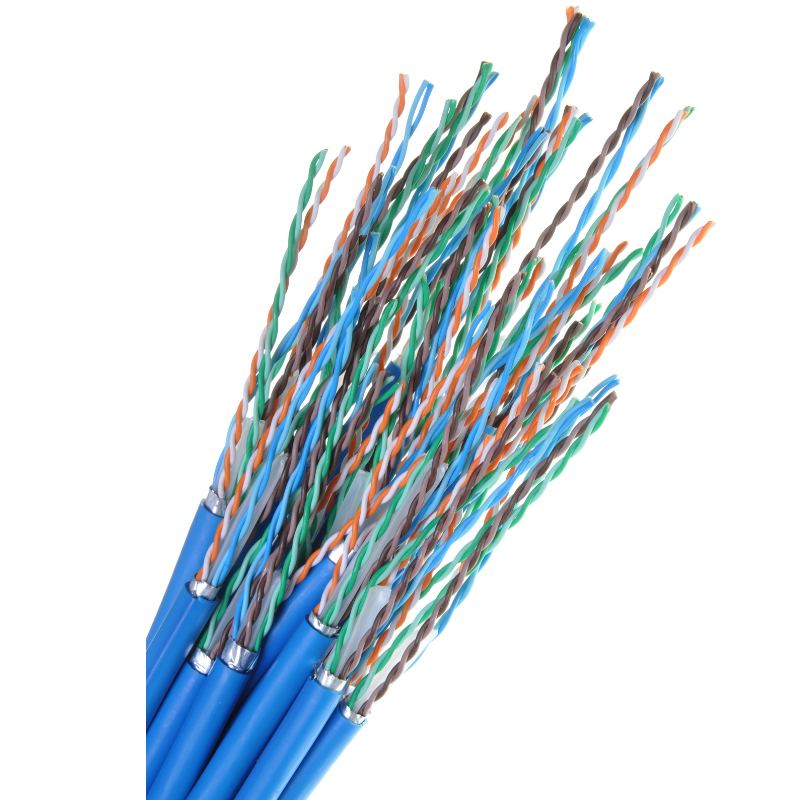
Selecting the appropriate Ethernet cable for a home network in Singapore requires balancing performance, cost, and future-proofing. The most common categories—Cat 6a, Cat 7, and Cat 8—each serve distinct needs, depending on internet speeds, interference levels, and installation conditions.
Cat 6a: The Reliable Standard for Most Homes
Cat 6a cables support speeds up to 10 Gbps over 100 meters, making them ideal for typical Singaporean households with high-speed broadband plans (1 Gbps to 10 Gbps). These cables feature improved shielding compared to Cat 6, reducing crosstalk and electromagnetic interference (EMI), which is useful in homes with multiple electronic devices. Cat 6a remains cost-effective and widely available.
Cat 7: Enhanced Shielding for High-Interference Environments
Cat 7 cables push performance further, supporting 10 Gbps at 100 meters and even 40 Gbps at shorter distances (up to 50 meters). Their superior shielding—individually wrapped pairs and an overall foil shield—makes them suitable for homes near power lines or in dense urban areas where EMI is a concern. However, Cat 7 is not officially recognized by the Telecommunications Industry Association (TIA) nor the global network Institute of Electrical and Electronics Engineers (IEEE), meaning compatibility with some networking equipment may vary. While more expensive than Cat 6a, Cat 7 offers better noise resistance, which may benefit tech-heavy households.
Cat 8: Future-Proofing for Extreme Speeds
Designed for data centers and enterprise environments, Cat 8 cables support staggering speeds of 25 Gbps or 40 Gbps over 30 meters. While overkill for most residential setups, they may appeal to enthusiasts running home servers or advanced smart home systems. Cat 8’s heavy shielding ensures minimal interference, but its stiff build and high cost make it impractical for general home use. Additionally, most consumer-grade hardware in Singapore does not yet support Cat 8’s full capabilities.
For most users, Cat 6a provides ample speed and reliability without unnecessary expense. Those in high-interference environments may prefer Cat 7, while Cat 8 remains a niche choice for specialized setups. Always verify that cables meet international standards (e.g., TIA/EIA or ISO) and ensure proper installation—avoiding sharp bends and excessive lengths—to maintain optimal performance.


How To Properly Run Cables in a Singapore Home
Running cables in an HDB or private residence requires careful planning. Concealed trunking is the preferred method, keeping wires hidden within walls or false ceilings for a clean aesthetic. Surface-mounted conduits are an alternative if structural modifications aren’t possible. Meanwhile, electricians must adhere to Singapore’s building codes and avoid electrical interference by maintaining distance between power and data cables.
Optimal Positioning for Data Points in HDBs
Strategic placement ensures maximum efficiency. The best locations include:
✔️Living Room: Near the TV console for streaming and gaming.
✔️Study Room: Close to workstations for lag-free video calls.
✔️Bedrooms: For uninterrupted browsing and smart home integration.
A data point HDB installation should consider future needs because positioning extra ports near potential smart home hubs prevents costly retrofits later.
Step-by-Step Data Point Installation Process
| Step | Details |
|---|---|
| Step 1: Site Assessment | A technician evaluates the best routes for cable runs and socket placements. |
| Step 2: Cable Laying | Wires are threaded through walls or conduits with minimal disruption. |
| Step 3: Termination | Cables are connected to keystone jacks and wall plates. |
| Step 4: Testing | Network continuity and speed are verified to ensure flawless performance. |
For a clean, professional, and HDB-compliant network cabling installation in Singapore, trust FixFirst’s certified technicians. We ensure hidden wires, perfect signal strength, and a tidy finish

Common Challenges in Data Point Wiring
Older HDBs may have thick concrete walls, making cable routing difficult. So, poor termination can lead to signal loss, while incorrect cable handling may cause crosstalk. Hiring professionals ensures compliance with standards and avoids these pitfalls.
For further reading on data point wiring challenges, check out “Preparing Your Home for Next Gen NBN Services.” It is an excellent reference guide from the Infocomm Media Development Authority of Singapore for all things related to home networking, including setting up Wi-Fi networks, understanding their limitations, and taking advantage of wired data points.
Data Point Installation Singapore Cost Breakdown
The data point installation Singapore cost varies based on complexity, cable type, and number of points. Basic installations start from $80-$150 per point, while premium setups with Cat6a may cost more. Additional factors like false ceiling routing or concealed trunking can influence pricing.
FixFirst’s Data Point Installation Process
A successful data point installation starts with clear communication and a thorough understanding of your home network requirements. At FixFirst, we follow a structured, step‑by‑step approach to ensure every new or converted data point delivers high‑speed, reliable connectivity while respecting the unique constraints of Singapore flats, condos, landed properties and offices.
1. Initial Customer Clarification
- Before any work begins, we confirm exactly what you need:
- Installation of a brand‑new data point – Using Cat6 or Cat6A cabling for future‑proof high‑speed networking.
- Conversion of an existing telephone line to a LAN point – Repurposing older wiring where possible.
Note: Fibre point termination is not included in our service.
We also ask how you intend to use the new data point:
- As a standard internet port (router to a device)
- For a CCTV connection
Important: For CCTV, we only handle the cabling and point installation. We do not set up the CCTV system, NVR, or any related software.
2. Information We Collect from You
To give you an accurate quote and schedule the job smoothly, we ask for a few simple items:
- A video walkthrough from your router to the area where the new data point is needed.
- Clear photos/videos of any existing data points, telephone ports, or visible cables.
- Property type – HDB, Condo, Landed property, or Office. This helps us plan the right approach and allocate the correct resources for the installation.
3. What We Provide
When you book a data point installation with FixFirst, our service scope includes:
- Supply and installation of Cat6 / Cat6A LAN cable
- Supply and installation of RJ45 ports and connectors
- Installation of surface trunking (exposed type only)
- Full testing of every installed data point to verify signal integrity and performance
Everything is installed neatly, with minimal disruption, and in full compliance with Singapore’s residential wiring guidelines.
4. Service Limitations – What We Do Not Do
To avoid any misunderstanding, please note the following limitations:
❌ Fibre point termination – Not provided.
❌ Only exposed trunking installation – We do not conceal cables inside walls.
❌ No concealed wiring inside walls – Our installation is surface‑mounted only.
❌ No hacking or embedding of cables – We do not cut into walls or floors.
❌ CCTV system setup – Only cabling is included; we do not configure the CCTV system, NVR, or any software.
By following this process, we ensure complete transparency from your first enquiry to the final test of your new data point. If you have any questions about the steps above, simply WhatsApp us. Our team is happy to walk you through the process.
Why Choose FixFirst to Install Your Data Point
FixFirst stands out for its meticulous craftsmanship and deep understanding of Singapore’s residential wiring needs. Our licensed electricians ensure precise cable routing, proper termination, and seamless integration with existing networks. We prioritize minimal disruption, leaving your home spotless after installation. With transparent pricing and a commitment to quality, FixFirst guarantees a future-proof network that meets your household’s demands.

Frequently Asked Questions (FAQs) - Data Point Installation Singapore
The number depends on usage. A typical 3-room HDB may need 3-4 points, while larger homes benefit from additional ports in key areas.
Yes, our technicians can convert telephone points to data points by rewiring existing lines to support Ethernet.
Wired connections offer faster speeds, lower latency, and greater reliability compared to wireless networks.
A standard installation for 2-3 points usually completes within half a day.
Our team uses non-invasive methods, minimizing wall disruption. Any necessary drilling is done neatly and patched up afterward.
While DIY is possible, improper wiring leads to poor performance. Professional installation ensures compliance with safety standards.
Once installed, they rarely need servicing unless physical damage occurs.
High-quality Cat6 cables can last over a decade with no degradation in performance.
Absolutely. Wired connections enhance reliability for smart TVs, security cameras, and home automation systems.
It depends on the distance. We charge $290 for cable of up to 20m, and $390 for up to 30m. Anything longer will be recalculated on the spot for a quote.
We only offer Cat6 cable at the moment.
It supports up to 10Gbps for cables up to approximately 55m. Actual speed naturally still depends on your internet service provider.
The package includes Cat6 cable, RJ45 connectors, trunking, data point testing, and RJ45 housing from end-to-end if it is needed.
We do not. We recommend exposed trunking for easy access for repairs, maintenance, or replacement, especially if you decide to remove it during future renovations.
We work Monday to Saturday. One data point (around 20m) takes less than 2 hours to install properly. But multiple data points depend on your actual house layout.
Our standard arrival window is between 11:30am to 1:30pm.
The purpose of the video is to check if the area is accessible and also to estimate costs. We check specific details like the upper part of glass doors in order to plan the trunking route.
Yes. If your existing phone line is using at least a Cat5e or Cat6 (8-pin), we can proceed with a conversion.
We charge $80 per data point conversion. For example, $80 for the first point and then $160 for two points.
If your phone line cable is old, then we will need to install new wirings using Cat6 with exposed trunking. The price will then follow our standard installation rate starting at $290.
We can only reuse old trunking if it is fully accessible and fully exposed.
We need a video from the router to the room to estimate the distance as well as a photo of the
Cable and socket to confirm if it’s an 8-pin Cat5e/Cat6 cable.
Provide your full address, email address, and other contact details. Once provided and your schedule is checked, then your appointment is confirmed.
A well-executed data point installation Singapore transforms your home into a connected hub, eliminating buffering and weak signals. Whether you live in an HDB, condo, or landed private residence, FixFirst delivers expert wiring solutions and installation services tailored to your needs. Don’t settle for unreliable Wi-Fi. Contact us today over Whatsapp and experience solid home connectivity.