The iMac has long held a distinctive place in the design landscape. Its all-in-one construction simplifies the clutter of a traditional desktop setup. Yet, for all its aesthetic appeal, the standard iMac stand presents a persistent problem: ergonomics. As noted by design critics, the fixed height of the iMac often forces users into a suboptimal posture, leading many to resort to propping the machine on books or risers to achieve a proper viewing angle. For residents of Singapore, where space in HDB flats comes at a premium, this challenge is compounded by the need to maximize every square inch of the home.
Wall mounting offers a clean, practical solution. By securing the computer to the wall, you reclaim valuable desk surface, achieve ideal screen height, and create a streamlined look. However, executing this task in a Singapore flat requires more than just purchasing a mount and a drill. It demands a thorough understanding of HDB regulations, the physical composition of your walls, and the specific technical requirements of the iMac itself. This guide walks you through every phase of the process, ensuring your installation is safe, compliant, and professionally executed.

Why Wall Mount a 21.5 iMac in a Singapore Home?
The motivation to mount an iMac in the context of Singapore living solves three distinct problems. First, it addresses space constraints. A 21.5 iMac occupies a significant footprint when sitting on a desk. By moving it to the wall, you free that space for documents, peripherals, or simply to create a less cluttered environment, which is a priority in compact flats.
Second, it corrects ergonomic shortcomings. The iMac’s stock stand provides tilt adjustment but lacks height adjustment . For proper posture, the top of the screen should sit at or slightly below eye level. Wall mounting allows you to position the screen at the exact height that suits your seating arrangement, reducing neck and shoulder strain during long work sessions.
Third, it protects the equipment. In households with children or high traffic, a desk-mounted computer is vulnerable to accidental knocks. A securely mounted iMac sits out of the main thoroughfare, reducing the risk of the unit being tipped over, which is a costly accident to remedy.
Understanding HDB Regulations and Wall Types
Before any drilling begins, you must identify what lies behind your wall and what the Housing & Development Board permits. In HDB flats, walls fall into three categories, each with distinct rules .
Concrete load-bearing walls form the structural skeleton of the building. These appear as thick black lines on your floor plan. You are permitted to drill small holes into these walls for mounting fixtures, but you must never hack, remove, or significantly alter them, as this compromises the building’s structural integrity .
Partition dry walls are non-structural and common in newer flats. They consist of gypsum or plasterboard. While drilling into these is generally allowed, you must use appropriate wall plugs designed for hollow walls. Over-tightening or using the wrong hardware can easily crack the surface or fail to hold the weight of the computer .
Brick walls are prevalent in older HDB estates. Drilling into brick is permissible, but it requires a hammer drill and masonry bits to penetrate the hard material without causing cracks in the mortar or brick faces .
HDB regulations also stipulate specific working hours. Drilling and other renovation works are typically permitted only between 9:00 AM and 5:00 PM on weekdays, with no noisy works allowed on Saturdays after 1:00 PM, Sundays, or public holidays . This is a consideration not just for compliance but for neighborly relations, as the drilling required for this project will generate significant noise.
Selecting the Correct Mount for a 21.5 iMac
Choosing the right mount is perhaps the most critical decision after assessing the wall. The 21.5 iMac, depending on the model year, has a specific weight and a unique mounting mechanism. Unlike standard monitors that have a VESA pattern built into the back, many iMac models require an adapter plate.
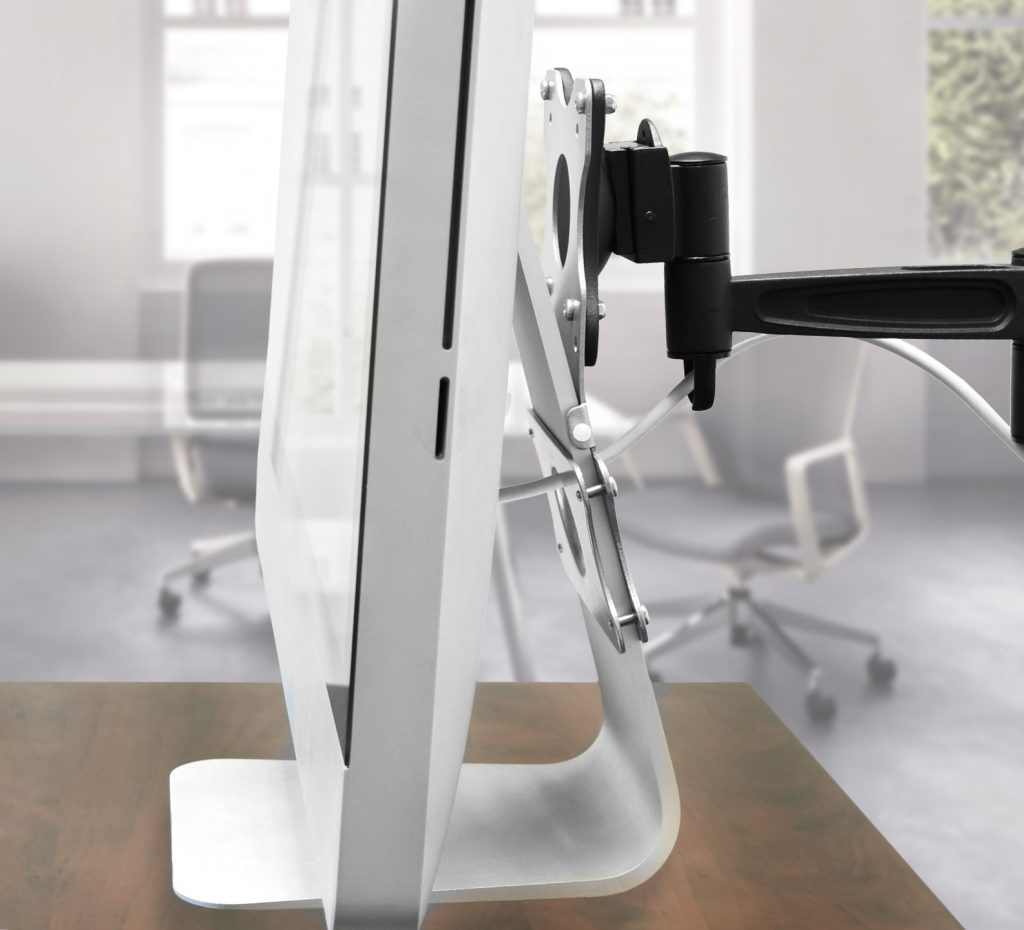
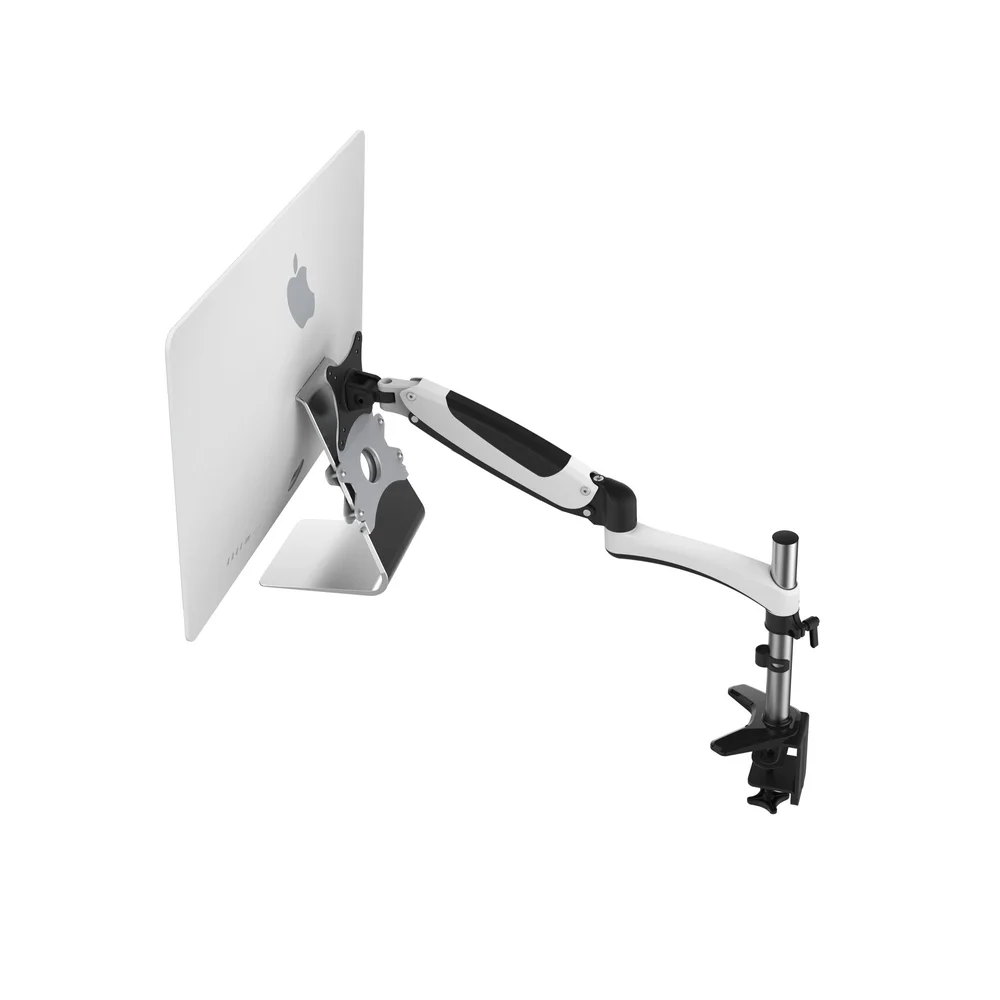
When you search for a 21.5 iMac wall mount, you will find two primary configurations. The first is a complete mount that includes a VESA-compatible adapter that replaces the iMac’s original stand. The second is a mount designed to hold the iMac by clamping onto the stand, though this is less common and often bulkier.
You must verify the mount’s weight capacity. The 21.5 iMac weighs approximately 5.7 kilograms. While this is within the capacity of most mounts, you should select a unit rated for at least three times the actual weight to ensure a safety margin, especially given Singapore’s humid environment which can affect materials over time.
The mount’s arm type also matters. For a static mount, the iMac sits flush against the wall. This is ideal for saving space and creating a picture-like appearance. For adjustable mounts, an articulating arm allows you to pull the screen forward, tilt, and swivel. This flexibility is useful if you use the computer from different positions in the room, but it requires a wall capable of supporting the dynamic load of a moving arm.
Preparing the Wall and Locating Safe Zones
is about safety. Drilling into a wall without knowing the layout of electrical wiring and water pipes can lead to electric shock, short circuits, or water leakage, all of which are costly and dangerous. In HDB flats, electrical wires and water pipes follow predictable routes. Wires typically run vertically or horizontally from sockets and switches. As a rule, avoid drilling directly above, below, or beside any electrical point. The same caution applies to wet areas; if you are mounting the iMac on a wall adjacent to a bathroom or kitchen, the risk of hitting a concealed pipe is higher.
A stud sensor or wire detector is an essential tool for this job. Run the device along the intended mounting zone to confirm there are no hidden hazards. For concrete walls, the sensor can also help locate the reinforcing bars (rebar) to avoid drilling directly into them, which would make the hole placement difficult or impossible.
For dry walls, you must locate the vertical studs behind the plasterboard. The mount must be anchored into these studs, not just into the plasterboard alone, to safely support the iMac’s weight over time. Using only plasterboard anchors for a 5.7-kilogram computer invites eventual failure.
Step-by-Step Installation Guide for the Wall Mount
| Step | Details |
|---|---|
| Step 1: Mark the Mounting Points | Hold the wall mount bracket against the wall at your desired height. Use a spirit level to ensure it is perfectly horizontal. With a pencil, mark the center of each mounting hole on the wall. Double-check these marks against your earlier sensor readings to ensure they are in safe zones. |
| Step 2: Prepare the Drill and Bit | Select the correct drill bit for your wall type. For concrete or brick, use a carbide-tipped masonry bit sized slightly smaller than your wall plug. For dry wall studs, use a standard wood or metal bit appropriate for the screw size. If you are unsure, consult a professional. Using the wrong bit will result in frustration and potential damage to the wall. |
| Step 3: Drill the Pilot Holes | Set your drill to the appropriate mode: hammer mode for concrete, standard rotation for drywall or brick. Drill to the depth required by the screw length. If drilling into concrete, work slowly to avoid overheating the bit. Periodically clear dust from the hole to ensure the wall plug seats correctly. |
| Step 4: Insert Wall Plugs and Secure the Bracket | For concrete and brick walls, tap the wall plugs into the holes until they are flush with the surface. For dry wall studs, plugs are not needed. Align the bracket with the holes and drive the screws in, tightening firmly but not over-tightening, which could strip the plug or crack the plaster. |
| Step 5: Attach the Adapter to the iMac | If your mount requires a VESA adapter, lay the iMac face down on a soft, clean surface to access the stand. Follow the mount manufacturer’s instructions to remove the original stand (if necessary) and attach the adapter plate. This step is irreversible for some models, so ensure you are committed to the wall-mounted configuration. |
| Step 6: Mount the iMac | With the bracket secured to the wall and the adapter attached to the iMac, lift the computer carefully. Engage the adapter with the wall bracket. Most designs use a hook-and-secure mechanism or a sliding lock. Ensure the unit clicks into place and that all locking screws or levers are tightened. |
| Step 7: Perform a Safety Test | Before letting go of the iMac, gently try to lift it off the bracket to confirm it is locked. Apply light pressure to the edges to ensure the mount is stable and the wall fixings are holding. Only after confirming stability should you release the unit. |
Need help mounting your iMac securely? FixFirst’s certified handymen provide expert installation services across all HDB flats and condos. We handle stud detection, precise drilling, and full safety checks—so your setup looks sleek and stays safe. Book now for a clutter-free workspace!
Managing Cables and Achieving a Clean Finish
One of the primary reasons for wall mounting is visual clarity. To maintain that clean look, you must manage the power cord and any peripheral cables. In Singapore homes, trailing cables are not only unsightly but can also pose tripping hazards.
You have a few options. The simplest is to use adhesive cable clips or a paintable cable conduit that matches your wall color. These conduits run vertically from the iMac down to the desk level, encasing the cables in a discreet channel.
For a truly flush finish, some homeowners opt to recess the cables into the wall. This involves cutting access points behind the iMac and near the desk to run the cables through the wall cavity. This is a more invasive process. For concrete HDB walls, this is generally not permitted as it constitutes hacking into the structural wall. For dry walls, it is technically possible but should only be done by a professional who understands the building’s framing and fire safety requirements.
The power cable presents a specific consideration. It is against fire safety codes in most jurisdictions, including Singapore, to run the main power cord inside a wall cavity without proper in-wall rated cabling and a dedicated outlet behind the unit. The safest approach is to use a surface-mounted conduit that houses the power cord and data cables together.
Positioning and Ergonomics
With the iMac securely mounted, take time to finalize its position. The ideal height places the top of the screen at or slightly below your horizontal line of sight when seated in your usual working posture. This setup, which wall mounting enables, addresses the ergonomic flaws of the original stand and helps prevent the chronic neck pain associated with looking down at a screen.
Consider the lighting in the room, as well. Avoid positioning the screen opposite a window, as this creates glare that strains the eyes. If the room has significant ambient light, a mount with tilt functionality allows you to angle the screen to reduce reflections.
The distance from the wall also matters. If you use a wireless keyboard and mouse, the proximity to the wall is irrelevant. However, if you connect external drives or other peripherals, ensure the side ports remain accessible. An articulating arm can be a valuable feature in this regard, allowing you to pull the iMac forward when you need to plug in a device and push it back when you are finished.
When To Call a Professional
While the steps outlined above are achievable for a competent DIYer, several scenarios warrant professional assistance. If your wall is concrete and you lack a powerful hammer drill, or if your sensor detects wiring in the intended mounting area, these are not risks to take lightly.
The primary service that FixFirst offers is the expertise to navigate HDB-specific challenges. A professional handyman will possess the HDB-approved tools and the knowledge of common flat layouts to avoid damaging structural elements or hidden utilities . They also handle the compliance aspects, ensuring that the installation does not violate any renovation guidelines that could result in fines or complications during future flat sales .
Furthermore, the weight and value of the iMac justify the cost of professional installation. A misstep can result in a cracked screen or a damaged wall. Professionals guarantee their work, providing assurance that the mount will hold securely for the long term.
Conclusion
Installing a 21.5 iMac wall mount is a project that transforms both your workspace and your relationship with your home environment. It reclaims desk space, elevates ergonomic comfort, and gives your setup a refined, minimalist quality that aligns with modern design sensibilities. Yet, the success of this project hinges entirely on preparation and respect for the physical structure of your HDB flat. From identifying load-bearing walls to locating safe drilling zones and selecting the appropriate mount, each decision impacts the final outcome.
This is not a task where guesswork pays off. The integrity of your wall and the safety of your expensive equipment demand precision. If you find yourself uncertain about your wall type, the location of wiring, or the structural requirements of the mount, the prudent choice is to seek expert help. FixFirst provides experienced handyman services across Singapore who understand the nuances of HDB regulations and the technicalities of safe, secure mounting. Do not leave the safety of your home and your equipment to chance. Contact FixFirst today to schedule a professional installation and enjoy a perfectly positioned iMac with complete peace of mind.