For gaming enthusiasts in space-conscious Singapore HDB flats, the entertainment center often becomes a tangled web of consoles, cables, and controllers. The PlayStation, a centerpiece of home entertainment, frequently consumes valuable surface area and disrupts a clean, minimalist aesthetic. A strategic PS5 or PS4 wall mount bracket presents a brilliant solution to this common dilemma. By elevating your console to a vertical position on the wall, you not only reclaim your shelf space but also potentially improve the console’s ventilation and create a striking visual display for your gaming gear. This comprehensive guide delves into the specifics of selecting and installing wall mounts for the entire PlayStation range, providing Singapore residents with a clear path to a more organized and immersive gaming environment.
The Advantages of Wall-Mounting Your PlayStation
The decision to PS4 mount to wall extends far beyond simple aesthetics. Removing a bulky console from your TV console or shelf instantly declutters the space, creating a more open and orderly room. More importantly, proper wall mounting can directly impact your console’s health and performance. PlayStations generate substantial heat during operation, and enclosing them in a cramped media cabinet restricts airflow, leading to potential overheating and fan noise. A well-chosen mount positions the console with ample clearance on all sides, promoting consistent air circulation and contributing to the system’s long-term reliability. This approach also offers a unique opportunity for personalization, turning your console into a mounted centerpiece of your entertainment zone.
Navigating the Selection of PlayStation Wall Mount Types
The market offers a variety of mounting solutions tailored to different PlayStation models and user preferences. Understanding the distinctions between them is the first step toward a secure and successful installation.
The most common and versatile option is the universal PS4 wall mount bracket. These brackets typically consist of a metal or high-strength plastic frame that cradles the console, often securing it with straps or locking mechanisms. They are a cost-effective and adaptable choice for most standard models. For owners of specific versions, purpose-built mounts offer a more custom fit. A dedicated PS4 slim wall mount is engineered for the console’s slimmer profile, while a PS4 pro wall mount is designed to handle the larger dimensions and weight of the Pro version. Similarly, owners of the older generation can find a specific PS3 wall mount bracket that accommodates that console’s unique curvature and size. Identifying the best PS4 wall mount for your setup requires matching the bracket’s specifications to your exact console model, its weight, and its dimensions.
Beyond the console itself, organizational accessories exist for controllers. A PS4 controller wall mount offers a dedicated spot to store your controllers, keeping them safe and accessible. More advanced versions even integrate a PS4 controller wall mount charger, combining storage with convenient wireless charging capabilities. For the creative individual, a DIY PS4 controller wall mount project using simple materials like hooks or acrylic sheets can also yield a personalized storage solution.
The following table summarizes the primary mount types for the PlayStation ecosystem:
| Mount Type | Description | Best For |
|---|---|---|
| Universal PS4 Bracket | A general-purpose mount using straps or a frame to hold the console vertically. | Budget-conscious users with standard PS4 models seeking a simple, space-saving solution. |
| Model-Specific Bracket | A custom-fit bracket for specific models like the PlayStation 4 pro wall mount or PlayStation 4 slim wall mount. | Owners of PS4 Pro, PS4 Slim, or PS3 who want a secure, form-fitting mount with an integrated look. |
| Controller Wall Mount | A small bracket or hook system for holding PlayStation controllers. | Gamers looking to declutter and organize their controllers, with or without integrated charging. |
Understanding the PlayStation Product Range for Mounting
The PlayStation family encompasses several console generations, each with distinct physical characteristics that influence mounting requirements. The PlayStation 3 (PS3), referenced by searches for a PlayStation 3 wall mount, came in various thicknesses throughout its lifecycle. Its curved design and heavier build demand a sturdy bracket that can securely grip its form. The PlayStation 4 (PS4) generation diversified into three main models. The original PS4 is the bulkiest, while the PS4 Slim, targeted by searches for a PlayStation 4 slim wall mount, is noticeably thinner and lighter, requiring a bracket that accounts for its reduced dimensions. The PS4 Pro, the most powerful of the trio, is larger and heavier than the standard model, making a dedicated PlayStation 4 Pro wall mount essential for adequate support and stability.
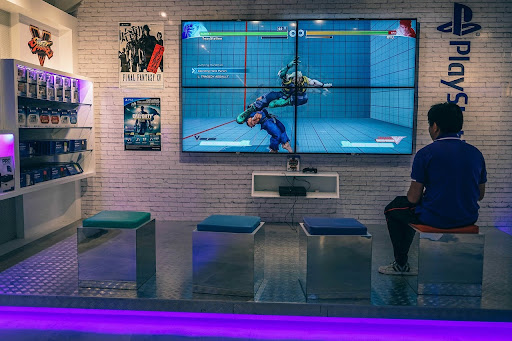
The primary function of these consoles is, of course, gaming and multimedia entertainment. Their best use case in an HDB setting is as a centralized hub for the living room or a dedicated entertainment space. Mounting them directly on the wall behind or beside a wall-mounted TV creates a cohesive and space-efficient “command center.” This setup naturally leads to the question of how to connect PlayStation to wall mounted TV. The solution involves careful planning of cable lengths and the use of cable management systems like braided sleeves or adhesive raceways to neatly route the HDMI and power cables from the mounted console to the TV and power outlet, creating a clean, professional appearance without dangling wires.
Strategic Positioning and HDB Installation Considerations
Choosing the optimal location for your wall-mounted PlayStation requires balancing practicality, safety, and performance. The most logical position is directly behind or adjacent to your wall-mounted television, which minimizes cable run and creates a unified look. However, you must ensure this placement does not obstruct the console’s ventilation ports. The console requires several inches of clearance on all sides, especially the rear and sides where air intake and exhaust typically occur. Avoid mounting the console in an enclosed space or in direct sunlight, as heat is the primary enemy of electronic components.
In Singapore HDB flats, structural considerations are everything. PlayStation consoles have considerable weight, and a secure installation demands anchoring the PS4 wall mount bracket directly into a wall stud or using high-weight-capacity concrete anchors. Drilling only into the plaster layer will inevitably result in the mount pulling out under the console’s weight, causing damage to both the wall and your equipment. Furthermore, HDB renovation guidelines strictly prohibit damaging concealed plumbing and electrical lines. Drilling into a wall without knowing what lies behind it poses a serious risk of striking water pipes or wires, leading to costly repairs and compliance issues. A professional assessment is the most reliable way to mitigate this risk.
A Step-by-Step Guide to Mounting Your PlayStation
For the determined DIYer, a successful installation hinges on meticulous planning and execution. This guide outlines the general process for a PlayStation 4 wall mount DIY project.
| Step | Details |
|---|---|
| Step 1: Select Location and Gather Tools | Identify a sturdy wall position near power and your TV. You will need a drill, a masonry drill bit, a screwdriver, a stud finder, a spirit level, a pencil, and your PlayStation wall mount with its hardware. |
| Step 2: Locate Stud and Mark Drilling Points | Use the stud finder to identify a solid wood stud or a clear concrete section for anchors. Hold the mount against the wall, use the spirit level to ensure it is perfectly straight, and mark the screw holes with a pencil. |
| Step 3: Drill Pilot Holes | Carefully drill holes at the marked points using a drill bit slightly smaller than your wall plugs. Drill to the depth required for the plugs. |
| Step 4: Install Wall Plugs | Insert the plastic wall plugs into the holes, tapping them gently until they sit flush with the wall surface. |
| Step 5: Secure the Mounting Bracket | Align the bracket with the holes and use the provided screws to fasten it securely to the wall. Apply firm pressure to ensure the anchors engage fully. Test the bracket’s stability; it should not wobble or move. |
| Step 6: Attach Your PlayStation Console | Following the mount’s specific instructions, carefully place your console into the bracket. This may involve sliding it in or securing it with locking straps or screws. Ensure the console is firmly seated and cannot be easily dislodged. |
| Step 7: Connect Cables and Manage Wires | Connect the HDMI, power, and any other necessary cables to your console and route them neatly to your TV and power outlet. Use cable ties, clips, or a raceway to bundle the wires tightly against the wall for a clean finish. |
Need a secure, damage-free wall-mounted PS4 installation in your HDB flat? FixFirst’s certified handymen use professional tools and HDB-compliant techniques to ensure your console is safely mounted and properly ventilated
Why Choose a FixFirst Handyman To Install Your PlayStation Wall Mount
Entrusting this task to a FixFirst professional eliminates the risks and hassles of a DIY approach, ensuring your valuable console is mounted with security and precision.
✔️ Expert Wall Assessment and Safe Drilling: Our technicians expertly locate studs and assess wall composition to execute a secure installation, avoiding hidden electrical wires and water pipes as per HDB guidelines.
✔️ Guaranteed Secure Mounting for Heavy Consoles: We use industrial-grade fixtures and tools to ensure your ps4 wall mount bracket can safely support the weight of your PS4 Pro or other console, preventing accidents.
✔️ Optimal Placement for Ventilation and Access: We advise on the ideal position that provides maximum airflow for your console while ensuring easy access for disc changes and cable connections.
✔️ Professional Cable Management for a Clean Look: We expertly manage all cables, concealing them within raceways or with tight bundling to eliminate clutter and achieve a sleek, professional appearance.
✔️ Time and Cost Efficiency: We complete the job correctly on the first visit, saving you the expense of specialized tools and the frustration of potential installation errors or wall damage.

Frequently Asked Questions (FAQs) about PlayStation Wall Mounts in Singapore Homes
Yes, provided you use a high-quality, model-specific bracket and install it correctly. Proper mounting actually improves ventilation around the console, which can help prevent overheating compared to a cramped entertainment unit.
A universal mount uses adjustable arms or straps to hold the console. A model-specific mount, like the best PS4 pro wall mount or best PSs4 slim wall mount, is custom-molded to the console’s dimensions for a more secure, integrated, and stable fit.
Partition walls are often not strong enough to support the weight of a PlayStation safely. We strongly recommend mounting only on solid, load-bearing concrete walls or directly onto a confirmed wooden stud.
The best method is to use a plastic cable raceway or conduit. These channels adhere to the wall and house all the cables, creating a single, neat line from the console to the TV and power outlet.
No, wall mounting itself does not void the manufacturer’s warranty. However, any physical damage caused to the console by a faulty mount or improper installation would not be covered.
Look for a bracket with strong, positive reviews that specifically lists compatibility with the original “standard” PS4 model. Ensure it has a sturdy construction and a secure locking mechanism.
While a handyman’s primary focus is the physical mounting and cable management, they can certainly connect the cables to the correct ports on the TV and console as part of the installation service.
Yes, with some basic materials like adhesive-backed hooks or a 3D printer, you can create a simple DIY PS4 controller wall mount. However, for charging capabilities, a manufactured ps4 controller wall mount charger is more reliable.
Wall-mounting your PlayStation is a smart and stylish upgrade for any Singapore home. It declutters your living space, potentially enhances your console’s cooling, and creates a dynamic focal point for your entertainment area. From selecting the perfect PS4 wall mount bracket to ensuring a safe and secure installation that respects your HDB’s structure, every detail contributes to a successful outcome. While a DIY project is possible, the assurance of professional-grade workmanship from FixFirst guarantees that your valuable gaming system is mounted securely, with impeccable cable management and optimal positioning for years of uninterrupted play. Contact FixFirst today to schedule your professional wall mounting service and transform your gaming setup with confidence.