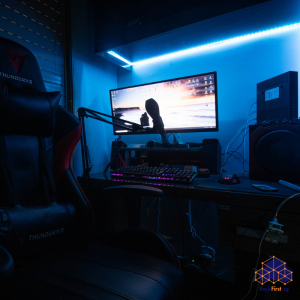
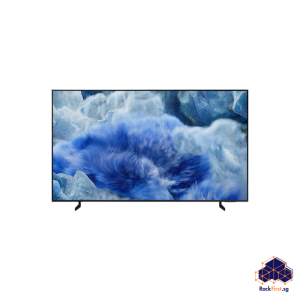
Space comes at a premium in Singapore, especially in HDB flats where every square metre counts. More homeowners now turn to wall-mounted solutions to reclaim their desk real estate and create cleaner, more organised living spaces. An HP wall mount bracket offers a direct answer to this spatial challenge, whether you need to secure a monitor, a VoIP phone, or a compact desktop PC.
HP produces various mounting brackets for different devices. The HP wall mount bracket for monitors typically follows the VESA standard, with common patterns like 75×75 mm and 100×100 mm. For IP phones, HP offers dedicated brackets for models such as the Poly VVX 450, Poly Edge E100/E220, and Poly CCX 400. Some brackets also accommodate HP desktop mini PCs, including the ProDesk and EliteDesk series. Knowing which HP wall mount bracket matches your device saves you from compatibility headaches down the road.

Understanding VESA Compatibility
Before you purchase any HP wall mount bracket, check the VESA pattern on the back of your monitor. This pattern refers to the arrangement of mounting holes, measured in millimetres horizontally and vertically. Most HP monitors use 75×75 mm or 100×100 mm patterns, though some ultra-wide models may require an adapter.
The VESA standard ensures cross-compatibility across different brands, so an HP wall mount bracket designed for 100×100 mm also accommodates 75×75 mm displays in most cases. However, certain HP Pavilion monitors lack standard mounting holes altogether and need a specific adapter bracket to work with a wall mount. Always verify your monitor’s model number against the bracket’s compatibility list before ordering.
Installation Considerations for HDB Flats
Installing an HP wall mount bracket in an HDB flat demands attention to the Housing and Development Board’s renovation guidelines. HDB prohibits drilling into structural elements such as reinforced concrete walls, columns, beams, and slabs. For permissible wall surfaces, any screws, nails, or bolts used for mounting must not exceed 6 mm in diameter and 40 mm in penetration depth.
Concrete walls in HDB flats provide strong holding power when you drill cleanly and seat the wall plugs fully. A hammer drill with a masonry bit and heavy-duty nylon plugs rated for at least twenty kilograms per point will secure your HP wall mount bracket properly. For lighter items like IP phones, standard wall plugs suffice, but always match the hardware to the weight of your device.
Common Installation Mistakes To Avoid
One frequent error involves using screws that are too long. Screws that exceed the VESA standard depth can damage the display and void your warranty. HP recommends using an authorised HP wall mount bracket and contacting qualified personnel for installation if you are uncertain.
Another mistake occurs during wall preparation. Before drilling, locate any electrical wires or water pipes behind the wall using a stud finder or radar detector. Drilling into a concealed pipe or cable creates expensive damage that could have been avoided with a simple check.
Professional Installation vs DIY
While many HP wall mount brackets include all necessary hardware for a quick setup, the installation still requires precision. Improperly mounted brackets can lead to equipment falling, causing injury or damage to your device. Professional handymen understand HDB regulations, know which wall plugs work best for different wall materials, and have the right tools for the job. FixFirst’s handymen bring experience installing HP wall mount brackets across Singapore homes. They handle the drilling, alignment, and securing of your bracket so you can enjoy your wall-mounted setup without worrying about safety or compliance.
Final Thoughts
An HP wall mount bracket transforms your workspace by freeing up desk space and improving ergonomics. Whether you mount a monitor at eye level to reduce neck strain or secure an IP phone to keep your desk clear, the right bracket makes a tangible difference in how you use your space.Before you buy, confirm your device’s VESA pattern and weight. Before you drill, check your wall type and HDB guidelines. And if you want the job done right the first time, leave it to the professionals.
Ready to mount your HP device? Contact FixFirst today for expert installation services across Singapore. Our handymen handle the entire process from assessing your wall to securing your HP wall mount bracket, so you get a safe, professional result every time.