Integrating an iPad into your home’s architecture transforms it from a portable device into a permanent command center for entertainment, security, and home management. For Singaporean homeowners, particularly those in HDB flats, installing a wall mount demands careful consideration of space, regulations, and functionality. This definitive guide explores every facet of selecting and installing the perfect iPad wall mount Singapore market offers, ensuring your smart home upgrade is both beautiful and compliant.

Why Mount Your iPad on the Wall?
Mounting an iPad on the wall declutters your living space and elevates your home’s intelligence. It transitions your device into a dedicated interface, always charged and ready. You can control smart lights and air conditioning, view security camera feeds, stream music and recipes in the kitchen, or manage family calendars in the hallway. This fixed position prevents the device from being misplaced, ensures it remains powered, and creates a sleek, integrated look that feels inherently futuristic and organized.
A Comprehensive Look at iPad Wall Mount Types
The variety of mounts available caters to different needs, aesthetics, and security concerns. Understanding these categories is the first step to a successful purchase.
Fixed and Flush Mounts
For a minimalist, built-in appearance, an iPad flush wall mount is the premier choice. These mounts secure the iPad flat against the wall, creating a clean, unobtrusive profile that blends with the interior design. A recessed iPad wall mount takes this a step further by installing into the wall cavity itself, requiring more complex installation but offering a truly custom, high-end finish.
Adjustable and Articulating Mounts
When flexibility is key, an iPad wall mount arm provides superior utility. These mounts feature one or more joints, allowing you to extend, tilt, and swivel the iPad for optimal viewing angles. This is ideal for kitchens or bedrooms where you need to adjust the screen from across the room or avoid glare from windows.
Secure and Locking Mounts
In common areas or for commercial applications, security is non-negotiable. A lockable iPad wall mount or anti theft iPad wall mount incorporates physical locks or specialized screws to prevent unauthorized removal. For the highest level of security, particularly for an iPad kiosk wall mount secure setup, these designs are essential. The heckler iPad wall mount is a notable example in this category, renowned for its robust, tamper-resistant design for professional environments.
Charging-Integrated Mounts
Eliminating the need for constant cable management, an iPad wall mount with power is a game-changer for home automation. These mounts have built-in wiring to keep your device perpetually charged. You might choose an iPad wall mount charging station that holds the device firmly while powering it, or an iPad wall mount docking station that allows for quicker docking and undocking. For a specific model like the iPad 10.2 wall mount, ensure the charging connector aligns perfectly.
Specialty and Environmental Mounts
Specific rooms demand specialized solutions. An iPad bathroom wall mount is typically sealed within an iPad enclosure wall mount to protect the device from moisture, steam, and splashes. For those who prefer a decorative touch, an iPad frame wall mount disguises the device as a piece of art or a classic picture frame when not in use. Similarly, an iPad wall mount wood offers a warmer, more organic aesthetic compared to standard metal or plastic designs.
Magnetic and Easy-Release Mounts
For those who frequently need to use their iPad elsewhere, a iPad magnetic wall mount or a removable iPad wall mount offers the perfect balance of fixed positioning and easy release. These systems use strong magnets or quick-release mechanisms, making it a practical iPad wall mount removable solution for households that value convenience.
The Ultimate iPad Wall Mount Buying Guide
Selecting the right mount requires a methodical approach. Focus on these critical factors to make an informed decision.
📌 Compatibility: This is the most crucial step. Mounts are designed for specific models due to variations in size, button placement, and camera position. Confirm the mount is explicitly made for your device, whether you need an iPad mini wall mount, an iPad pro 11 wall mount, a standard iPad air wall mount, or a iPad pro wall mount.
📌 Power Requirements: Decide if you want a simple holder or a powered solution. An iPad wall mount charger or an iPad mini wall mount with power ensures your device never runs out of battery, which is vital for an iPad wall mount for smart home control. Verify the type of connection (Lightning or USB-C) and the included power adapter’s specifications.
📌 Security Needs: Assess the location. Will the iPad be in a private study or a common hallway? For high-traffic areas, investing in a secure iPad wall mount with a locking mechanism is a wise precaution to prevent theft or casual removal.
📌 Installation Location and Material: Consider the wall material (e.g., HDB concrete, drywall) and the room’s purpose. A kitchen may benefit from an articulating arm, while a hallway might be best served with a simple iPad wall mount. For wet areas, only consider rated bathroom enclosures.
📌 Aesthetic Integration: Choose a finish and style that complements your home’s decor. Do you want the mount to be a visible statement or to disappear entirely? The answer will guide you toward a bold articulating arm or a discreet flush mount.
Preparation and Installation: A Step-by-Step Process
| Step | Details |
|---|---|
| Step 1: Planning and Positioning | Identify the ideal location. Consider eye level for comfortable viewing, proximity to a power source for charging mounts, and the structural integrity of the wall. Avoid mounting directly over areas where electrical wires or water pipes might be concealed within the wall. Use a stud finder to locate wooden studs or concrete beams for the most secure attachment. |
| Step 2: Understanding HDB Drilling Regulations | In Singapore, HDB homeowners must adhere to specific renovation guidelines. Drilling into structural beams and columns is typically prohibited. The goal is to mount into the wall infill, which is often brick or concrete. Always reference the official HDB guidelines before drilling. This is where professional help becomes invaluable, as they understand these constraints intimately. |
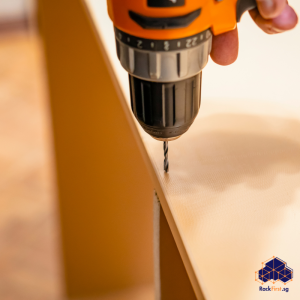
| Step 3: Executing the Mounting | For a confident homeowner, a DIY iPad wall mount project is feasible. After marking the precise drilling points, use a hammer drill with a masonry bit for concrete walls. Insert appropriate wall plugs, align the mount’s base plate, and secure it firmly with screws. Finally, attach the iPad holder or iPad wall mount case to the base and secure your device. For an iPad wall mount with lock, use the provided key to finalize the installation. |
Want a secure, damage-free iPad wall mount installation in your HDB flat? FixFirst’s certified handymen ensure proper positioning, HDB-compliant drilling, and full functionality.
Why Choose a FixFirst Handyman To Install Your iPad Wall Mount
While a DIY approach may seem appealing, entrusting this task to a FixFirst professional installer offers unparalleled advantages that protect your investment and your home.
A FixFirst handyman brings expert knowledge of Singapore’s unique building standards, especially critical HDB drilling guidelines. They possess the technical skill to identify safe drilling locations, avoiding hidden electrical conduits and water pipes that amateur tools cannot reliably detect. This prevents catastrophic damage to your walls and essential services, saving you from potentially massive repair costs.
Furthermore, our handymen arrive equipped with industrial-grade tools—heavy-duty hammer drills, precise levels, and professional mounting hardware—that guarantee a perfectly level and supremely secure installation. They handle the entire process, from managing cables invisibly within the wall for a pristine look to configuring a dedicated power source for your iPad wall mount charging station. This eliminates the frustration of crooked mounts, stripped screws, or faulty wiring. You receive a flawless, integrated finish that performs reliably day after day, turning your vision for a sophisticated iPad wall mount home automation hub into a perfect reality without any of the risk or hassle.

Frequently Asked Questions (FAQs) - iPad Wall Mount Singapore
No, they are not. You must select a mount designed specifically for your iPad model (e.g., iPad Pro 11”, iPad Air, iPad Mini 6th Gen) to ensure a secure fit that aligns with the buttons, cameras, and charging port.
While some adhesive-based options exist, they are not recommended for the weight and value of an iPad, especially in a permanent smart home setup. Drilling into a stud or using proper masonry anchors is the only safe and reliable method.
The cleanest method is to run the cable inside the wall. This requires drilling a small channel behind the mount and another near the power outlet. This task is best left to a professional to avoid damaging wall structures and violating electrical codes.
Yes, but only if you use a mount specifically rated for bathroom use. These feature sealed enclosures that protect the device from humidity and moisture. A standard mount will not provide this protection.
A docking station often implies a quicker, easier connection, sometimes with a physical connector that the iPad slots into. A charging station may simply hold the device while a cable is plugged in. The terms are often used interchangeably, so check the product details.
It depends on the mount. Some are designed to hold the bare iPad for the slimmest profile. Others, particularly frame-style mounts or those with adjustable grips, can accommodate a thinner case. You will need to check the specifications of the individual mount.
Commercial-grade mounts, like an iPad kiosk wall mount, prioritize extreme security and durability. They feature heavy-duty materials, complex locking mechanisms, and are often fully enclosed to prevent any tampering with the device itself.
The ideal location is a central point where you control multiple devices, like the kitchen, living room entrance, or master bedroom wall. It should be at a comfortable viewing height and within reach for interaction.
Yes, but drilling through tiles requires a specialized diamond-tipped drill bit or a carbide-tipped drill bit to prevent cracking. A professional handyman will have the correct tools and experience to do this cleanly.
The cost can vary based on the complexity of the installation (e.g., basic mount vs. running power inside the wall). Contacting FixFirst for a specific quotation based on your needs is the best way to get an accurate price. We also offer the cheapest rates in Singapore on our mounting services. Just Whatsapp us for a quote.
Secure Your Smart Home Center Today
Mounting your iPad transforms it from a personal gadget into the resilient heart of your automated home. It embodies a commitment to efficiency, elegance, and modern living. The journey from selecting the perfect best iPad wall mount to its flawless installation requires precision and expertise. Rather than navigating HDB regulations and complex wiring alone, secure your device and your peace of mind with professional assistance.
Ready to integrate your iPad seamlessly into your Singapore home? Contact FixFirst today for an expert consultation and flawless installation service. Let our skilled handymen deliver a secure, powered, and perfectly positioned mount that you can enjoy for years to come.