Smart light switches have become a popular home automation feature in Singapore, offering convenience, energy savings, and enhanced control over lighting. Unlike traditional switches, smart light switches allow users to control lights remotely via smartphones, voice assistants, or automation schedules. If you’ve recently installed one or are considering upgrading, understanding how to use a smart light switch effectively can maximize its benefits.
What Is a Smart Light Switch?
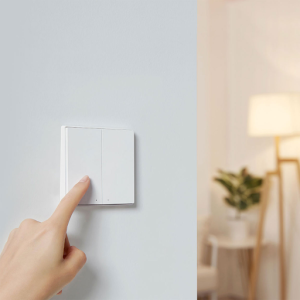
A smart light switch replaces a conventional wall switch and connects to your home Wi-Fi or a smart home hub (such as Zigbee or Z-Wave). This connectivity enables remote control, scheduling, and integration with voice assistants like Google Assistant, Amazon Alexa, or Apple HomeKit. Some models also include dimming capabilities, motion sensors, or energy monitoring features.
Setting Up Your Smart Light Switch
Before using a smart light switch, proper switch installation is crucial. While some homeowners in Singapore may opt for DIY installation, hiring a licensed electrician ensures safety and compliance with local electrical standards. Once installed, most smart switches require pairing with a dedicated app (e.g., Tuya, Smart Life, or manufacturer-specific apps). Follow the app’s instructions to connect the switch to your Wi-Fi network and configure basic settings.
Installation Considerations for Singapore Homes
Before exploring how to use smart light switch devices, proper installation is paramount. Singapore’s electrical regulations require most hardwired installations to be performed by licensed professionals, especially in HDB flats where unauthorized modifications can violate building codes. The installation process typically involves:
✔️ Turning off power at the circuit breaker (always verify with a voltage tester)
✔️ Replacing the existing back box if necessary (many older Singaporean homes have shallow boxes)
✔️ Connecting live, neutral, and load wires (with special attention to Singapore’s color codes: brown=live, blue=neutral)
✔️ Configuring the mounting plate for optimal ergonomic access
For homeowners uncomfortable with electrical work, Singapore-based services like FixFirst offer professional smart switch installation that complies with all Building and Construction Authority (BCA) guidelines.
Controlling Your Smart Light Switch
Once set up, there are multiple ways to control a smart light switch:
Manual Control
Like a traditional switch, you can still toggle the lights on and off manually at the wall. This is useful when you don’t have your phone nearby or if the Wi-Fi is down.
Smartphone App
The companion app allows you to control the switch remotely, create schedules, and group multiple switches for synchronized control. For example, you can set lights to turn on at sunset or off at bedtime automatically.
Voice Commands
If your smart switch supports voice assistants, you can use commands like “Hey Google, turn on the living room lights” or “Alexa, dim the bedroom lights to 50%.” This hands-free control is especially useful when your hands are full or when entering a dark room.
Automation and Scenes
Advanced users can set up automation routines. For instance, lights can turn on when motion is detected or when you arrive home (using geofencing). Scenes allow multiple smart devices to work together—like turning off all lights with a single “good night” command.
How To Install Smart Light Bulbs
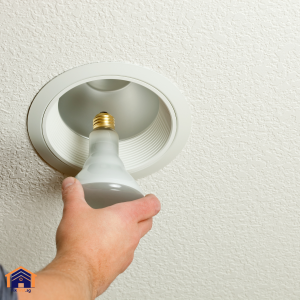
Upgrading to smart light bulbs transforms any space with voice control, automation, and energy efficiency—all without complex wiring. Start by choosing the right bulb type (E26, E12, GU10, etc.) and smart protocol (Wi-Fi, Zigbee, or Bluetooth). Screw the bulb into the existing fixture just like a standard bulb, then power it on.
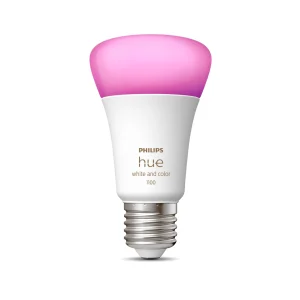
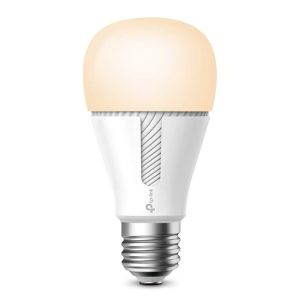
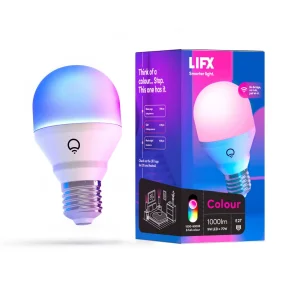
Most smart bulbs require a companion app for setup. Download the manufacturer’s app (like Philips Hue, LIFX, or TP-Link Kasa) and follow the pairing instructions, typically involving connecting to the bulb’s temporary Wi-Fi network. Once synced, assign the bulb to a room, customize brightness, and set schedules. For voice control, link the app to platforms like Google Assistant or Amazon Alexa.
A common pitfall is placing Wi-Fi bulbs in areas with weak signal strength, leading to connectivity drops. If the bulb frequently disconnects, consider a mesh Wi-Fi extender or a Zigbee hub for more stable performance. Smart bulbs also work best in always-on fixtures, so avoid installing them with dimmer switches unless explicitly designed for dimming because inconsistent power can cause flickering or malfunctions.
How To Install a Smart Plug for Ceiling Light
Not all ceiling lights support smart bulbs, but a smart plug offers a workaround for lamps or plug-in fixtures. First, verify the ceiling light’s wattage doesn’t exceed the plug’s rating (usually 10–15A). Plug the smart device into an outlet, then connect the light’s power cord to it.
Use the plug’s app (like Tapo, Wemo, or Meross) to sync it with your home network. Many models support 2.4GHz Wi-Fi only, so disable 5GHz on your router temporarily during setup. Once connected, rename the plug (e.g., “Bedroom Ceiling Light”) for easier voice commands.
For hardwired ceiling lights without plugs, a smart relay switch (like Shelly or Sonoff) installed at the fixture provides similar automation. However, this requires basic electrical knowledge or professional help. Smart plugs are ideal for renters or quick upgrades, but ensure the light’s switch remains “on” to maintain functionality because accidental manual shutoffs disrupt automation.
Can Smart Plugs Dim Lights?
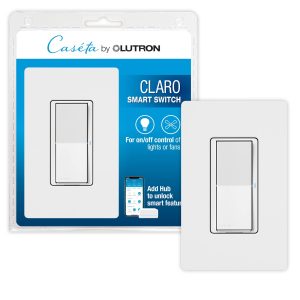
Standard smart plugs lack dimming capabilities. They simply toggle power on/off. However, specialized smart dimmer plugs (like the Lutron Caséta or TP-Link HS220) adjust brightness for compatible bulbs. These require a dimmable LED or incandescent bulb and often include physical buttons for manual control.
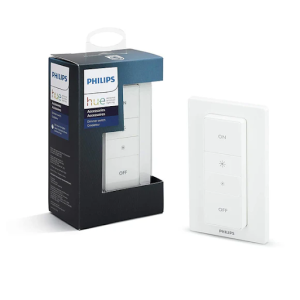
For ceiling lights, a smart dimmer switch (installed in place of a traditional wall switch) offers more seamless integration. Brands like Leviton and Philips Hue provide models that pair with voice assistants and apps. If you’re locked into a plug-based setup, opt for a plug-in dimmer module (such as those from Fibaro) paired with dimmable bulbs.
A key limitation is voltage sensitivity. Some dimmer plugs buzz or flicker with low-wattage LEDs; check manufacturer specs for minimum load requirements. For a foolproof solution, combine smart bulbs with built-in dimming (like Wyze or Sengled) with routines set via app. This bypasses plug limitations entirely while offering granular brightness control.
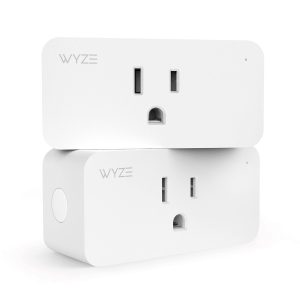
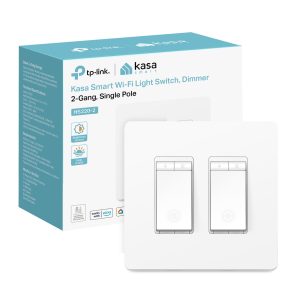
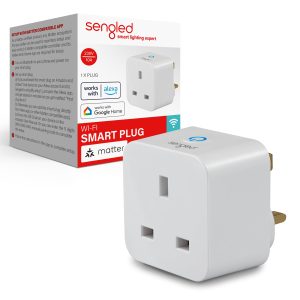
Advanced 2025 Smart Switch Features
This year’s models introduce groundbreaking capabilities that Singaporean tech enthusiasts are rapidly adopting:
- Energy monitoring tracks exact electricity usage per circuit, helping households optimize consumption amid rising Singapore power tariffs. Some switches even provide monthly cost projections.
- Scene coordination allows one switch to control multiple lighting groups – perfect for open-concept HDB living/dining areas. The latest firmware updates enable gradual dimming transitions that mimic natural sunlight patterns.
- AI learning observes household patterns and begins automating routines without manual programming. After a week, your switch might automatically lower bedroom lights at your typical bedtime.
- Emergency protocols integrate with Singapore’s civil defense systems, with some premium models flashing lights during fire alarms or security breaches.
Troubleshooting Smart Light Switch Issues
Even the best smart switches may occasionally face connectivity or functionality problems. If your smart light switch isn’t responding, check the following:
Wi-Fi Signal Strength
Weak signals can cause delays or disconnections. Consider a mesh Wi-Fi system if coverage is poor.
Power Cycling
Turn the switch off and on at the circuit breaker to reset it.
App/Firmware Updates
Ensure the switch’s firmware and app are up to date.
Compatibility Issues
Some switches require a neutral wire; if your home lacks one, you may need a no-neutral alternative.
The Evolution of Smart Light Switches in Singapore
The smart lighting market in Singapore has matured significantly since its early adoption phases. Today’s smart switches go beyond basic remote control, incorporating AI learning patterns, advanced energy monitoring, and seamless integration with Singapore’s Smart HDB initiatives. Unlike smart bulbs that simply replace conventional lighting, smart switches provide whole-circuit control while maintaining the familiar wall-mounted interface Singaporeans prefer.
Modern smart switches available at local retailers like Challenger and HomeFix now feature touch-sensitive panels, customizable LED indicators, and built-in surge protection specifically designed for Singapore’s 230V electrical system. The latest models even incorporate humidity resistance, a crucial feature for our tropical climate.
Choosing the Right Smart Light Switch for Your Home
Singaporean homeowners should consider factors like:
✔️ Compatibility – Ensure the switch works with your existing bulbs (dimmable LEDs, halogen, etc.).
✔️ Hub Requirement – Some switches need a separate hub (like Philips Hue), while others connect directly to Wi-Fi.
✔️ Design & Features – Decorative styles, touch panels, or motion-activated switches can enhance convenience.
Final Thoughts
Learning how to use a smart light switch unlocks a new level of convenience and efficiency for your home. Whether through voice commands, automation, or remote control, these devices offer flexibility that traditional switches can’t match. For seamless switch and lighting installation as well as troubleshooting in Singapore, professional electricians from FixFirst can ensure your smart lighting system works flawlessly. Upgrade your home today and experience the future of lighting control with a smart light switch!

FAQs about Smart Light Switches in Singapore
A smart light switch replaces your traditional wall switch and connects to your home Wi-Fi or a smart hub (like Zigbee or Z-Wave). It allows you to control your lights remotely via a smartphone app, voice commands (Google Assistant, Alexa, or Siri), or automation routines.
Smart light bulbs use LED technology and connect to Wi-Fi, Bluetooth, or a hub (like Zigbee or Z-Wave) to enable wireless control via smartphone apps, voice assistants (e.g., Alexa, Google Assistant), or smart home systems. They incorporate microchips and wireless modules to receive commands, allowing users to adjust brightness, color temperature, and RGB colors remotely. Some models include additional sensors (motion, ambient light) or integrate with automation routines (schedules, geofencing). Energy-efficient LEDs provide the light output, while firmware updates ensure security and feature enhancements. Compatibility varies by brand (e.g., Philips Hue, LIFX) and ecosystem (Apple HomeKit, Samsung SmartThings).
IKEA smart lighting uses LED bulbs, fixtures, and drivers that connect via Zigbee wireless protocol, requiring the TRÅDFRI Gateway (or a compatible third-party hub like Dirigera) to enable remote control through the IKEA Home Smart app, voice assistants (Alexa, Google Assistant, Siri/HomeKit), or physical remotes. The system supports dimming, color temperature adjustment (for white-spectrum bulbs), and scheduling, with optional motion sensors and switches for automation. Some newer models also support Matter, improving cross-platform compatibility with other smart home ecosystems. The setup is designed for affordability and ease of use within IKEA’s broader smart home ecosystem.
To add smart lighting to existing circuits, you can replace standard bulbs with smart bulbs (like Philips Hue or Wi-Fi models) that screw into existing fixtures, requiring no wiring changes—just a compatible app or hub for control. For hardwired solutions, smart switches (like Lutron Caséta or TP-Link Kasa) replace traditional wall switches, connecting to home Wi-Fi or a hub while using existing wiring; this requires turning off the circuit breaker and basic electrical knowledge. Alternatively, smart plugs or relays (like Shelly) can be installed behind switches or at the fixture for automation without removing existing hardware. Always ensure compatibility with your home’s voltage and load capacity, and consult an electrician if unsure.
Yes, most motion sensor lights still require a switch. The switch provides manual control and cuts power when needed. Some advanced models integrate both motion detection and switch functionality, allowing you to override the sensor when necessary.
Yes, a dimmable smart light switch only works with dimmable bulbs. Using non-dimmable bulbs may cause flickering, buzzing, or premature bulb failure. Always check bulb compatibility before installation.
Motion sensor switches use infrared (IR), ultrasonic, or microwave technology to detect movement. When motion is sensed, the switch activates the light. After a set period of inactivity, the light turns off automatically. Adjustable settings allow customization for sensitivity and duration.
Wireless light switches communicate via Wi-Fi, Zigbee, Z-Wave, or RF signals with a receiver connected to the light fixture. They eliminate the need for physical wiring and often integrate with smart home systems for remote control via apps or voice assistants.
Turn off power at the circuit breaker. Remove the existing switch and disconnect the wires. Then connect the motion sensor switch’s wires (line, load, neutral, and ground) to the corresponding wires in the wall. Note that the default switch setup in Singapore has no neutral point. Secure the switch in the wall box and restore power. Finally, test and adjust settings as needed.
Access the timer settings via the switch’s controls or companion app. Set the desired ON/OFF times or use sunrise/sunset schedules. Then save the schedule and test for functionality. Smart timers often allow automation through voice assistants like Alexa or Google Home.
Most motion sensors have an override mode:
- Manual Mode: Toggle the switch off and on quickly to bypass motion detection.
- Settings Adjustment: Extend the timeout duration to the maximum setting.
- Continuous Power: Some models allow a “test mode” that keeps lights on for maintenance.
Install a smart relay (like Shelly or Sonoff) behind the existing switch or use a wireless switch converter kit. These devices retain the physical switch while enabling remote control via Wi-Fi or RF.
Convert a standard switch by:
- Replacing it with a Wi-Fi or Zigbee smart switch (e.g., TP-Link Kasa, Lutron Caséta).
- Installing a smart bulb with a compatible hub and using a wireless switch for control.
Ensure compatibility with your home’s wiring (neutral wire required for most smart switches and Singapore setups don’t have a neutral point).
Use the following: a smart switch with app/voice control, a RF or IR remote-controlled switch kit, or a universal remote paired with a smart hub (e.g., BroadLink RM4).
Choose a battery-powered or rechargeable wireless switch. Mount the switch using adhesive or screws. Then pair it with a compatible receiver or smart hub. Sync with your home automation system (if applicable). No wiring is needed, making installation quick and DIY-friendly.
A smart light switch replaces your traditional wall switch and connects to your home Wi-Fi or a smart hub (like Zigbee or Z-Wave). It allows you to control your lights remotely via a smartphone app, voice commands (Google Assistant, Alexa, or Siri), or automation routines.
If you have basic electrical knowledge, you may install it yourself by following the manufacturer’s instructions. However, for safety and compliance with Singapore’s electrical regulations, we recommend hiring a licensed electrician from FixFirst.sg for professional installation.
Most smart switches require Wi-Fi for remote control, but some models (like Zigbee or Z-Wave switches) work via a local hub and remain functional for manual use even if the internet is down.
Most smart switches work with standard LED, CFL, and incandescent bulbs. However, some may not be compatible with dimmable bulbs unless specified. Always check the product specifications before purchasing.
Some smart switches (like no-neutral models) are designed for older homes without neutral wires. However, functionality may be limited—consult an electrician to determine the best option for your setup.
Yes, but you’ll need a compatible smart switch designed for multi-way circuits or an additional wireless accessory switch. Not all models support this, so verify before buying.
Reputable brands use encryption and regular firmware updates to enhance security. To minimize risks, use a strong Wi-Fi password, enable two-factor authentication (if available), and purchase from trusted brands like Tuya, Aqara, or Philips Hue.
Yes! Smart switches help reduce energy waste by allowing scheduling, motion detection, and remote shut-off, preventing lights from being left on unnecessarily.
After power is restored, most smart switches will reconnect automatically. Some may require a manual reset or app reconnection.
You can purchase smart switches from electronics stores, Lazada, Shopee, or Amazon SG. For professional installation, contact FixFirst.sg to ensure safe and compliant setup.