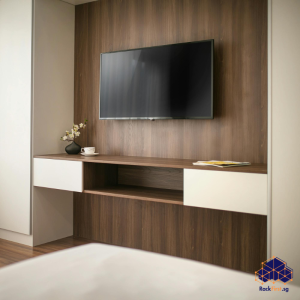
Your desk holds your keyboard, mouse, documents, and perhaps a coffee cup. Adding a monitor stand to that crowded surface often forces you to compromise on placement or deal with a cluttered workspace. Wall mounting offers a cleaner alternative, but drilling holes in your HDB walls raises concerns about regulations, security deposits, and permanent damage. Learning how to wall mount a monitor without holes solves this dilemma entirely. Moving your monitor off the desk and onto a non-invasive mounting system frees up valuable surface area, creates a cleaner aesthetic, and positions the screen at an optimal viewing height and all without a single drill mark on your wall.

Why Choose a Drill-Free Monitor Mount in Singapore
Singapore HDB flats mix solid concrete walls with lightweight partition boards. Drilling into structural elements such as reinforced concrete walls, columns, beams, and slabs is strictly prohibited. HDB regulations also limit all fasteners to a maximum of 6 mm in diameter and 40 mm in penetration depth. For tenants, landlords often impose strict rules against drilling. These constraints make understanding how to wall mount a monitor without holes essential knowledge for any Singapore homeowner or renter.
A non-invasive mount saves you from seeking renovation permits for structural drilling. It also keeps your walls immaculate, which matters if you rent and expect your full security deposit back. The key lies in matching the method to your wall material and the weight of your monitor.
Method One: Desk Clamp Monitor Arms
The most reliable way to answer how to wall mount a monitor without holes involves skipping the wall entirely. Clamp-on monitor arms attach to the edge of your desk or table using a heavy-duty C-clamp. These mounts provide a sturdy base for your monitor without any need for drilling or adhesive.
Most modern desk arms use a clamp system that works on desks 2 to 8 cm thick with a flat edge. They accommodate a variety of desk layouts, with recommended desktop thickness ranging from 1 to 8.5 cm for C-clamps. The mount plate attaches to your monitor’s VESA mounting holes typically 75×75 mm or 100×100 mm for most screens.
Desk clamps offer flexibility in positioning and often include adjustable arms for ergonomic viewing angles. You can swivel, tilt, and extend the monitor to find the perfect position. When you move or redecorate, the clamp comes off cleanly, leaving no trace on your desk or wall.
Method Two: Adhesive Wall Mounts
Adhesive mounts provide a direct answer to how to wall mount a monitor without holes when you prefer the monitor on the wall rather than your desk. These mounts use high-strength adhesive tapes, bonding strips, or putties that create a powerful bond between the mount and the wall surface.
Quality adhesive strips rate a pair of large strips for up to 7 kg on a smooth, painted surface. Adhesive mounting plates with a metal bracket can hold 15 kg to 30 kg for heavier applications. You simply clean the area with isopropyl alcohol, press the mount firmly for 30 seconds, and wait an hour before loading.
However, adhesive mounts demand a perfectly flat, non-porous surface. Tiled kitchen backsplashes and glass partitions welcome these mounts beautifully, but textured or matte emulsion paint drastically reduces holding power. Painted HDB walls with a slight orange-peel texture still hold lighter items, but any graininess reduces the adhesive contact area.
The effectiveness of adhesive mounts depends on the surface energy of the wall. Smooth, non-porous surfaces like glass, tiles, or finished laminate provide the best grip. Singapore’s humidity can weaken certain adhesives over time, so choose a model rated for at least double the actual monitor weight. Apply it on a cool, dry day and leave it undisturbed for a full 24 hours before hanging anything.
Method Three: Freestanding and Tension-Based Solutions
A third approach to how to wall mount a monitor without holes involves floor-standing monitor stands or tension-based systems. Freestanding stands sit on the floor behind your desk, supporting the monitor without touching the wall at all. These stands provide excellent stability and full adjustability while leaving your desk surface clear.
Tension-based mounts serve a different need. A spring-loaded pole that braces between floor and ceiling, or between two walls, supports a shelf or monitor without touching the wall surface with adhesive. Such solutions fit rental flats where you cannot alter a single square inch of wall.
Weight Capacity and Surface Preparation
Every no-drill mount carries a weight rating that assumes ideal conditions. Real-world performance in Singapore’s humid tropical climate drops if you skip preparation. Wash the wall with a mild degreasing solution, dry it completely, and wipe with a lint-free cloth and rubbing alcohol.
Temperature also matters. An adhesive bond that holds a 5 kg frame in an air-conditioned room may creep and fail on a sun-baked afternoon wall facing the western sun. If you plan to mount a monitor with an adhesive bracket, choose a model rated for at least double the actual monitor weight.
The most critical concept to grasp is the strict weight and force limitations of these solutions. Adhesive tapes and hooks have improved dramatically, with some products boasting impressive weight capacities. However, these ratings often represent a best-case scenario involving a perfect surface, ideal temperature, and a static, downward force. They do not account for the dynamic, twisting force exerted when the screen is adjusted. A product rated for 20 kilograms might hold that static weight, but it will likely fail under the constant, uneven pull of a wall-mounted monitor.
The Risk of Adhesive Failure
Adhesive mounts carry a significant risk: they can fail suddenly and without warning, as they do not typically provide gradual signs of fatigue. When an adhesive mount fails, your monitor falls. That means potential damage to your equipment, injury to anyone nearby, and a repair bill that far exceeds the cost of proper installation. Even a well-applied adhesive mount can tear the paint film off the wall over time, creating a more expensive repair than a drilled hole. Check your mounting surface honestly. If your monitor weighs more than a few kilograms or if you plan to adjust its position frequently, adhesive mounts present a genuine safety concern.
Professional Installation vs DIY
Understanding how to wall mount a monitor without holes gives you options, but each option carries its own set of trade-offs. Desk clamps offer the safest and most reliable solution, requiring no wall contact at all. Adhesive mounts provide a clean aesthetic but demand perfect surface conditions and come with a real risk of sudden failure. Freestanding stands offer stability but occupy floor space.
FixFirst’s handymen bring years of experience installing monitor mounting solutions across Singapore HDB flats. They assess your wall type, monitor weight, and usage patterns to recommend the safest and most effective approach. They handle the entire process from surface preparation to final alignment.
Final Thoughts
Learning how to wall mount a monitor without holes opens up possibilities for a cleaner, more spacious workspace without compromising your walls. Desk clamp arms provide the safest and most reliable solution. Adhesive mounts can work for lightweight monitors on perfectly smooth surfaces, but they demand careful preparation and carry real risks. Freestanding stands offer a middle ground. Before you choose any method, weigh your monitor, check your wall surface, and honestly assess whether an adhesive bond can safely support your equipment day after day.
Ready to mount your monitor without drilling a single hole? Contact FixFirst today for expert installation services across Singapore.