Lighting determines whether your home office supports or sabotages your workday. A dim corner with a single bare bulb strains your eyes and dulls your concentration. A properly lit workspace, in contrast, keeps you alert through video calls, paperwork, and long hours at the screen. For Singaporean homeowners converting a spare bedroom, a corner of the living room, or a dedicated study into a functional workspace, the technical and regulatory considerations are more involved than simply buying a desk lamp. This article provides a clear, research-backed explanation of what you need to know about costs, standards, and practical execution.

Understanding Illumination: How Much Light Needed for Home Office Tasks
Before purchasing any fixtures, you must first understand the measurement that matters most. Lighting intensity is measured in lux, which represents lumens per square metre. The common mistake homeowners make is equating wattage or raw lumens with sufficient brightness; a 1,000-lumen bulb behaves entirely differently in a 15-square-metre room than it does in a 4-square-metre one.
In Singapore, the baseline reference for workplace illumination is the Code of Practice for Lighting of Work Places (Singapore Standards SS 531). This standard establishes specific lux thresholds based on the nature of the visual task being performed. For a home office, the required lux level is not a single number but a range determined by how you use the space. General computer work, filing, and document handling call for approximately 300 lux. Tasks that demand sustained focus—reading, writing, data processing, or detailed spreadsheet work—require a higher output of 500 lux.
The question “how much light needed for home office” therefore has a precise answer: 500 lux at the work surface for intensive tasks, and 300 lux for general circulation. A typical HDB bedroom hovers around 250 to 300 lux with its standard lighting points, which explains why working solely under existing bedroom ceiling lights often feels inadequate. When planning your upgrade, aim for that 500 lux target directly over your desk or primary work area.
How To Light a Home Office: Layering, Colour, and Positioning
A single ceiling fixture, regardless of its lumen output, will almost never produce a comfortable or effective workspace. The most reliable approach follows a three-tier layering method that professional designers apply to commercial offices across the Central Business District.
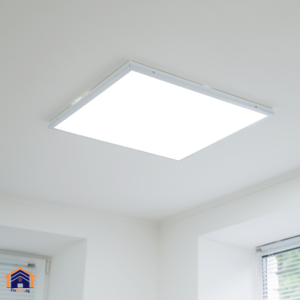
Ambient lighting supplies the general, shadowless illumination that allows you to navigate the room safely and perceive the space accurately. This is typically provided by a ceiling-mounted fixture—a flush-mount LED panel, a semi-flush drum light, or recessed downlights in a false ceiling. This layer should produce a consistent, low-glare wash of light across the entire floor area. In an HDB context, where ceiling heights are modest, recessed downlights preserve headroom and deliver a clean, contemporary finish.
Task lighting provides the concentrated, directional beam required for the 500 lux level at your desk. An adjustable desk lamp with a movable arm and head allows you to position the light precisely where you need it without casting shadows from your own hands or head onto the work surface. The fixture should be placed to the side of your dominant hand to prevent self-shadowing.
Accent lighting is often overlooked in home offices, yet it serves a critical visual comfort function. A small lamp placed behind the monitor or a wall sconce positioned to wash a nearby wall with soft light reduces the stark contrast between the bright screen and the dark room. This technique, known as bias lighting, eases eye fatigue during extended computer sessions.
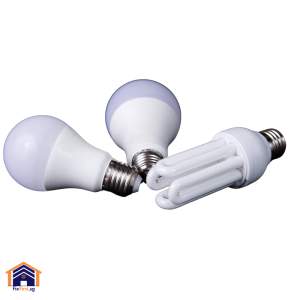
Colour temperature carries equal weight to brightness. Light appearance is rated in Kelvin. Bulbs in the 2700K to 3000K range emit a warm, yellowish glow suitable for living rooms and bedrooms but inappropriate for concentrated work since this warmth signals the brain to relax. For a home office, select bulbs with a colour temperature between 4000K and 5000K. This range, described as cool white or natural white, produces a crisp, neutral light that maintains alertness and renders colours accurately on screen and paper. LED technology remains the only sensible choice for Singapore homes. LEDs generate far less heat than halogens or compact fluorescents, a material advantage in a climate where air-conditioning costs already account for a large share of monthly utilities.
The Cost of Professional Installation in Singapore (2026 Pricing)
Installing new lighting points or replacing outdated fixtures is not a do-it-yourself project under Singapore law. The Electricity Act requires that any work involving fixed wiring be performed by a Licensed Electrical Worker. The prices that follow represent current market rates observed across HDB estates and private condominiums in early 2026.
The cost to install a simple ceiling light or wall-mounted fixture where wiring already exists ranges from $40 to $80 per point. Installing recessed downlights, which involves cutting into a false ceiling and running wiring through the cavity, costs between $60 and $100 per downlight. Track lighting systems, which offer flexibility for directing light toward different work zones, cost between $100 and $200 per metre of track to install. Basic LED panels suitable for ambient overhead lighting start at approximately $20 for entry-level units, while colour-tunable panels capable of shifting between warm and cool tones range from $50 to $150. LED bulbs alone cost between $3 and $40 depending on brand, with premium smart bulbs from manufacturers like Philips Hue occupying the higher end of that spectrum. Smart lighting systems, which include app-controlled bulbs, switches, and hubs, carry installation costs from $100 to $400 or more, depending on the system’s complexity. A full-scale smart system with multiple zones and voice integration can reach $1,500. Many electricians also charge a minimum callout fee, which typically falls between $80 and $100. This fee may be waived if multiple lighting points are installed during a single visit. These figures do not include the cost of purchasing the light fixtures themselves, nor do they account for any wall patching or painting required after cable routing.
Step-by-Step Guide: How To Light a Home Office in an HDB Flat
This sequence moves from assessment through to professional installation. Each step is designed to eliminate guesswork and ensure the final result meets both Singapore Standards and your own visual comfort.
| Step | Details |
|---|---|
| Step 1: Measure the Room and Calculate Fixture Requirements | Measure the floor area of the space in square metres. Multiply that figure by the target lux level—500 lux for a desk used for reading and writing, or 300 lux for a general computer workstation. Divide the result by the lumen output of the light fixtures you intend to use. This calculation yields the number of fixtures required to achieve the desired illumination. A worked example appears earlier in this article. |
| Step 2: Evaluate Existing Wiring and Ceiling Conditions | Inspect the ceiling to determine whether a false ceiling exists. If it does, recessed downlights become a practical option. If the ceiling is bare concrete, surface-mounted fixtures or track lighting are the more appropriate choices. Note the location of the existing lighting point; extending wiring from that point to a new location involves more labour and cost than simply replacing the fixture in place. |
| Step 3: Select Fixtures and Bulbs with the Correct Specifications | Choose ceiling fixtures that provide even ambient coverage. Select a desk lamp with full adjustability—articulated arms and a rotating head are essential. Purchase LED bulbs with a colour temperature between 4000K and 5000K and a Colour Rendering Index above 80 for accurate colour perception. |
| Step 4: Engage a Licensed Electrical Worker | Contact at least two EMA-licensed electricians to obtain itemised quotes. Provide the room dimensions, the number of new lighting points required, and the type of fixtures you have selected. Verify the electrician’s license number through the EMA portal before accepting any quote. |
| Step 5: Secure HDB Approval if Required | Confirm with the electrician whether the scope of work requires an HDB permit. For most lighting additions, the answer is no. However, if the project involves hacking walls to conceal wiring or upgrading the electrical load capacity, the electrician must apply for the relevant permits on your behalf. |
| Step 6: Conduct a Post-Installation Check | After installation, test all fixtures and switches. Position the desk lamp so that the beam falls on the work surface from the side opposite your writing hand. Use a free lux meter application on your smartphone to take a rough reading at desk level; the reading should approach 500 lux when the task light is on and the ambient lights are active. |
Need professional home office lighting installation? FixFirst’s EMA-licensed electricians design and install lighting systems that meet Singapore workplace standards. We calculate proper lux levels, select energy-efficient LEDs, and ensure code-compliant wiring—all while respecting HDB regulations. Book now for a workspace that’s comfortable, productive, and safe for your eyes!
FixFirst Provides Licensed Lighting Installation Across Singapore
FixFirst offers a full range of electrical services. Our team handles everything from adding new lighting points and installing recessed downlights to replacing outdated fixtures and configuring smart lighting systems. We provide transparent, itemised pricing with no hidden callout fees for bundled installations. If you are planning to convert a spare room or corner of your HDB flat into a properly illuminated workspace, contact FixFirst for a no-obligation quotation.